LESCO Bill Website Not Working? How to Fix Common Problems
If the LESCO bill website is not working, you may still be able to check your electricity bill through an alternative bill lookup portal. Website loading errors, slow internet, browser problems, incorrect reference numbers, and temporary server issues can prevent your bill from appearing. Start by checking your connection, refreshing the page, and entering your billing details carefully.
This guide explains common LESCO online bill problems, practical troubleshooting steps, and alternative ways to access your electricity bill online.
Check LESCO Bill Online Visit LESCO Bill GuideQuick Answer: What Should You Do First?
If the LESCO bill website is not opening, try these steps in order:
- Check whether your internet connection is working properly.
- Refresh the page or reopen the website in another browser.
- Open the PITC LESCO bill lookup portal.
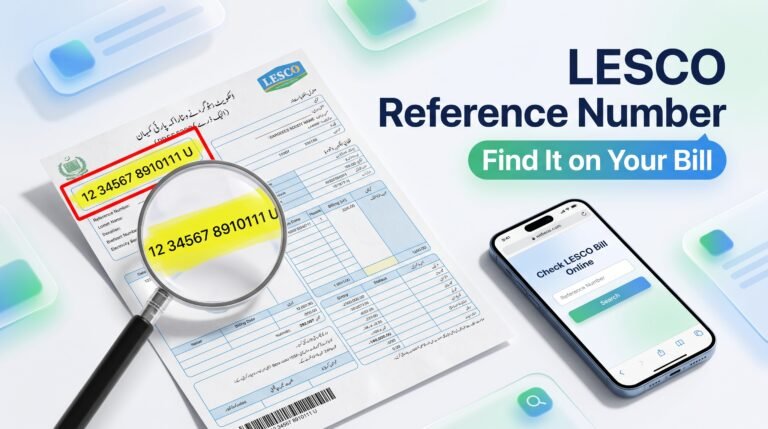
- Enter your 14-digit reference number or customer ID, as requested by the portal.
- Check the details and submit the form again.
- If the portal remains unavailable, wait and try again later or contact LESCO through its official channels.
Why Is the LESCO Bill Website Not Working?
There can be several reasons why you cannot open the LESCO bill website or view your latest electricity bill. Identifying the problem helps you choose the right solution instead of repeatedly submitting the same information.
1. The Website Server Is Temporarily Unavailable
Online billing websites sometimes experience heavy traffic, maintenance, or technical interruptions. When this happens, the page may remain blank, show an error, or take too long to load.
What to do: Wait a few minutes, reopen the page, and try again. You can also test the alternative PITC bill lookup portal.
2. Your Internet Connection Is Unstable
A weak Wi-Fi or mobile data connection can stop the bill page from loading completely. Other websites may also open slowly or fail to load.
What to do: Switch between Wi-Fi and mobile data, restart your connection, and reload the bill page.
3. You Entered the Wrong Reference Number
A reference number is used to identify an electricity connection for bill lookup. Missing digits, extra spaces, or using the wrong number can prevent the portal from finding the correct record.
What to do: Check the reference number printed on a previous electricity bill. Enter all digits carefully and confirm that you selected the correct billing service.
4. Your Browser Has a Cache or Compatibility Problem
Old browser data, outdated software, or certain browser settings can sometimes interfere with online forms and pages.
What to do: Open the page in a private or incognito window, try another updated browser, or clear the browser cache if the issue continues.
5. Your New Bill Is Not Available Yet
If the bill lookup page opens but does not show the latest bill, the new billing record may not have been uploaded or updated yet. This is different from the website being completely unavailable.
What to do: Check again later, verify your billing details, and contact LESCO if the bill remains missing close to your expected billing date.
How to Check Your LESCO Bill When the Website Is Down
When one page does not work, an alternative lookup portal may help you access your bill. Use the following steps to try the PITC LESCO bill portal.
Step 1: Open the PITC LESCO Bill Portal
Visit the following page:
https://bill.pitc.com.pk/lescobill
This is a bill lookup portal for LESCO consumers. If it does not load, the service may be temporarily unavailable or your connection may be blocking access.
Step 2: Find Your Reference Number or Customer ID
Look at a previous LESCO electricity bill and locate the reference number or customer ID requested by the portal. Make sure you use the correct field and enter the number exactly as printed.
Step 3: Submit Your Details
Follow the instructions shown on the page and submit the requested information. Wait for the result rather than repeatedly clicking the button.
Step 4: Review Your Bill
If the record appears, check the billing month, payable amount, due date, and other displayed information. Download or print a copy if those options are available.
Open PITC Bill PortalHow to Fix LESCO Bill Website Errors on Mobile
If you are using an Android phone or iPhone, follow these simple troubleshooting steps before assuming that the website is permanently unavailable.
- Reload the page: Close the current tab and open the bill portal again.
- Check mobile data: Switch to a stable internet connection.
- Try another browser: Use an updated browser if the page is not loading correctly.
- Clear cached data: If the page repeatedly displays an old error, clear the browser cache and retry.
- Disable problematic extensions: On a device with browser extensions, temporarily disable extensions that may interfere with page loading.
- Use the desktop view: If a form is not displaying correctly on mobile, try the browser’s desktop-site option.
For more guidance, visit LESCO Online Bill and look for the relevant bill-checking instructions.
Common LESCO Bill Website Problems and Their Solutions
| Problem | Possible Reason | Recommended Solution |
|---|---|---|
| Website not opening | Server or internet issue | Check your connection and try again later. |
| Bill not found | Incorrect details or unavailable record | Verify the reference number or customer ID. |
| Old bill appears | Latest billing data may not be updated | Check again later and confirm with LESCO if needed. |
| Page keeps loading | Slow connection or server delay | Try another network or browser. |
| Bill does not open on mobile | Browser compatibility issue | Update your browser or try desktop view. |
| Bill cannot be printed | Print settings or document loading issue | Open the bill fully and use your browser’s print option. |
What If the LESCO Bill Shows “No Record Found”?
The message “No Record Found” usually means the portal could not retrieve a matching record for the details you entered. It does not necessarily mean that your connection has been disconnected or that no bill exists.
Try the following checks:
- Confirm that all digits of your reference number are correct.
- Make sure you are using the number for the correct electricity connection.
- Check whether the new bill has been issued for the current billing cycle.
- Try the official or alternative bill lookup portal again later.
- Contact LESCO if the record remains unavailable or the information appears incorrect.
How to Get Your LESCO Bill If Online Checking Fails
If online bill checking continues to fail, you can use other appropriate methods to obtain your bill information.
- Check again later: Temporary server issues may resolve without any action from you.
- Use a previous bill: Keep the reference number and customer details available for the next lookup attempt.
- Contact LESCO: Ask the relevant customer service office how to obtain your current bill or confirm your account details.
- Visit a customer service office: If the matter is urgent, in-person assistance may be useful.
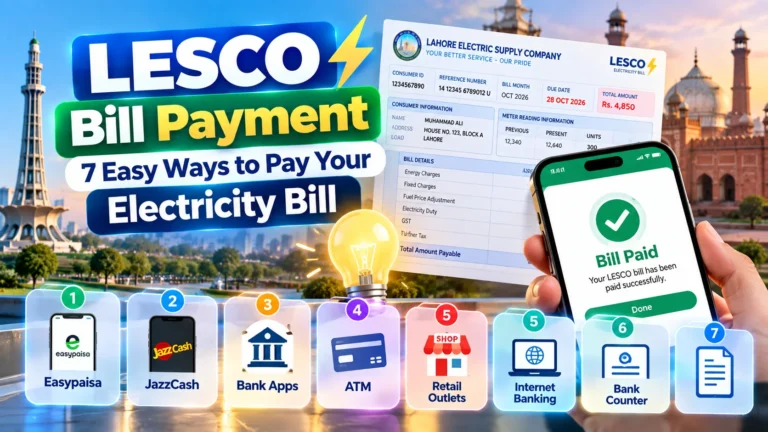
- Use available payment channels: If you already have a valid bill, check the supported payment methods offered by your bank or payment provider.
For official company information, start at the LESCO website. If a page is unavailable, use contact details from a verified official source or a previous bill.
Can You Pay Your LESCO Bill While the Website Is Not Working?
Possibly. The availability of bill payment depends on the payment provider and whether it can retrieve or accept your billing information. A problem with an online bill-viewing page does not automatically mean that every payment service is unavailable.
If you already have a current bill, check whether your bank app or supported payment service can process it. Before confirming a payment, verify the consumer details, amount, and due date shown by the service.
- Use a trusted bank app or supported payment provider.
- Confirm that the bill belongs to your electricity connection.
- Keep the payment receipt or transaction reference.
- Do not make a second payment if the first transaction is still pending. Check its status with your provider first.
Never share your banking password, PIN, or one-time verification code with anyone claiming to fix your bill website.
How to Avoid LESCO Online Bill Problems in the Future
You can reduce common bill-checking difficulties by keeping your information organized and using safe browsing practices.
- Save your reference number in a secure place for future use.
- Bookmark a trusted bill lookup page instead of relying on unfamiliar search results.
- Check your bill before the due date to leave time for troubleshooting.
- Use an updated browser and a stable internet connection.
- Keep a copy of your latest bill for reference.
- Verify website addresses before entering account information.
- Use official customer support when billing details appear incorrect.
Frequently Asked Questions
1. Why is the LESCO bill website not opening?
The website may be temporarily unavailable because of server maintenance, heavy traffic, an unstable internet connection, or a browser issue. Refresh the page, try another browser, and check the alternative PITC portal.
2. What is the alternative website for checking a LESCO bill?
You can try the PITC LESCO bill lookup page at bill.pitc.com.pk/lescobill. If it is also unavailable, try again later or contact LESCO.
3. Can I check my LESCO bill on my mobile phone?
Yes, you can generally check your bill using a mobile browser and a compatible bill lookup portal. You need the reference number or other account identifier requested by the page and a working internet connection.
4. Why does the LESCO website say “No Record Found”?
This can happen when the entered number is incorrect, the wrong account identifier is used, or the billing record is not available yet. Verify your details and try again later.
5. What should I do if my latest LESCO bill is not showing?
Check your reference number, wait for the latest billing data to become available, and try the lookup page again. Contact LESCO if the current bill remains missing or the account details appear wrong.
6. Does a website error mean my electricity connection is disconnected?
No. A website loading error by itself does not confirm a disconnection. Check your account status through LESCO’s verified customer service channels if you are concerned.
7. Can I pay my bill if the online bill page is down?
It may be possible if your bank or payment provider supports the payment and can retrieve or accept the required billing information. Verify the amount and account details before confirming payment.
8. What if both the LESCO website and PITC portal are unavailable?
Check your internet connection, try again after some time, and contact LESCO through verified official channels if you need urgent billing assistance.
9. Is it safe to use any website that offers LESCO bill checking?
Not necessarily. Prefer verified official or recognized bill lookup services, check the web address carefully, and avoid entering sensitive personal or financial information on unfamiliar websites.
10. How can I print my LESCO bill after the website starts working?
Open the bill, wait for the full document to load, and use the print option in your browser or device. If printing is unavailable, save the bill as a PDF if that option is provided.
Final Words
If the LESCO bill website is not working, do not panic. First, check your internet connection and browser, then verify your reference number and try the PITC LESCO bill portal. If the problem continues or your latest bill is missing, contact LESCO through verified official channels.
For more online bill-checking guidance, visit LESCO Online Bill. Always confirm your billing details and payment status before taking action.
Try Bill Lookup AgainDisclaimer: This informational guide is not an official LESCO service. Website availability and bill information can change. Confirm account-specific issues and payment details with LESCO or your payment provider.