How to Check LESCO Bill Paid or Not: 5 Easy Ways
What You Will Learn
1. Why checking your bill status matters 2. What you need before you start 3. Check LESCO bill paid or not online 4. Other ways: SMS, app, helpline, bank 5. Comparison of all methods 6. Paid but showing unpaid? Do this 7. Common mistakes 8. FAQsWhy It Is Smart to Verify Your LESCO Bill Status
Paying an electricity bill feels like the end of the job. But in Pakistan, a payment made at a bank counter, a mobile wallet or an ATM does not always show up in the system straight away. Sometimes the amount lands, sometimes it is delayed, and sometimes the wrong reference number gets typed.
The Lahore Electric Supply Company (LESCO) serves Lahore, Kasur, Okara, Sheikhupura and Nankana Sahib, so millions of consumers depend on timely billing. If a payment is not recorded, you may face a late payment surcharge on the next bill, or in the worst case, a notice before disconnection.
A two-minute status check protects you from all of that. It also gives you proof, which matters if you rent out a property, run a shop or need clearance documents.
Situations where checking really helps
- You paid through JazzCash, Easypaisa or a banking app and want confirmation.
- You paid for a relative or tenant and cannot see their bill slip.
- You are buying or renting a house and need to confirm there are no dues.
- Your payment was made close to the due date.
- You lost the paper bill but remember paying.
What You Need Before Checking
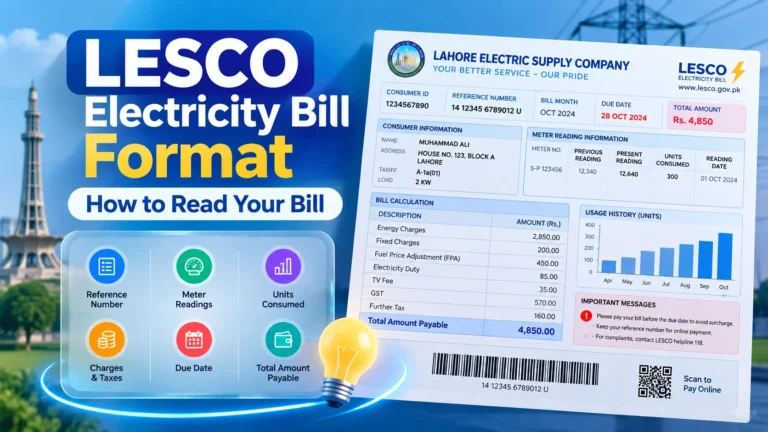
You only need one thing: your 14-digit reference number. You will find it at the top of any LESCO bill, usually split into groups such as batch number, sub-division code, serial number and a letter code.
If the paper bill is missing, these alternatives work well:
- Customer ID: printed near your name and address on the bill.
- Meter number: printed on the meter and on the bill.
- Old payment receipt: bank slips and wallet receipts often carry the reference number.
- Neighbour’s or landlord’s bill: the batch code at the start is often the same for your area, which helps you search faster.
Keep your payment receipt or transaction ID close as well. It becomes useful if the status looks wrong.
How to Check LESCO Bill Paid or Not Online (Step by Step)
This is the fastest route, and it works on any phone or laptop. No registration is needed.
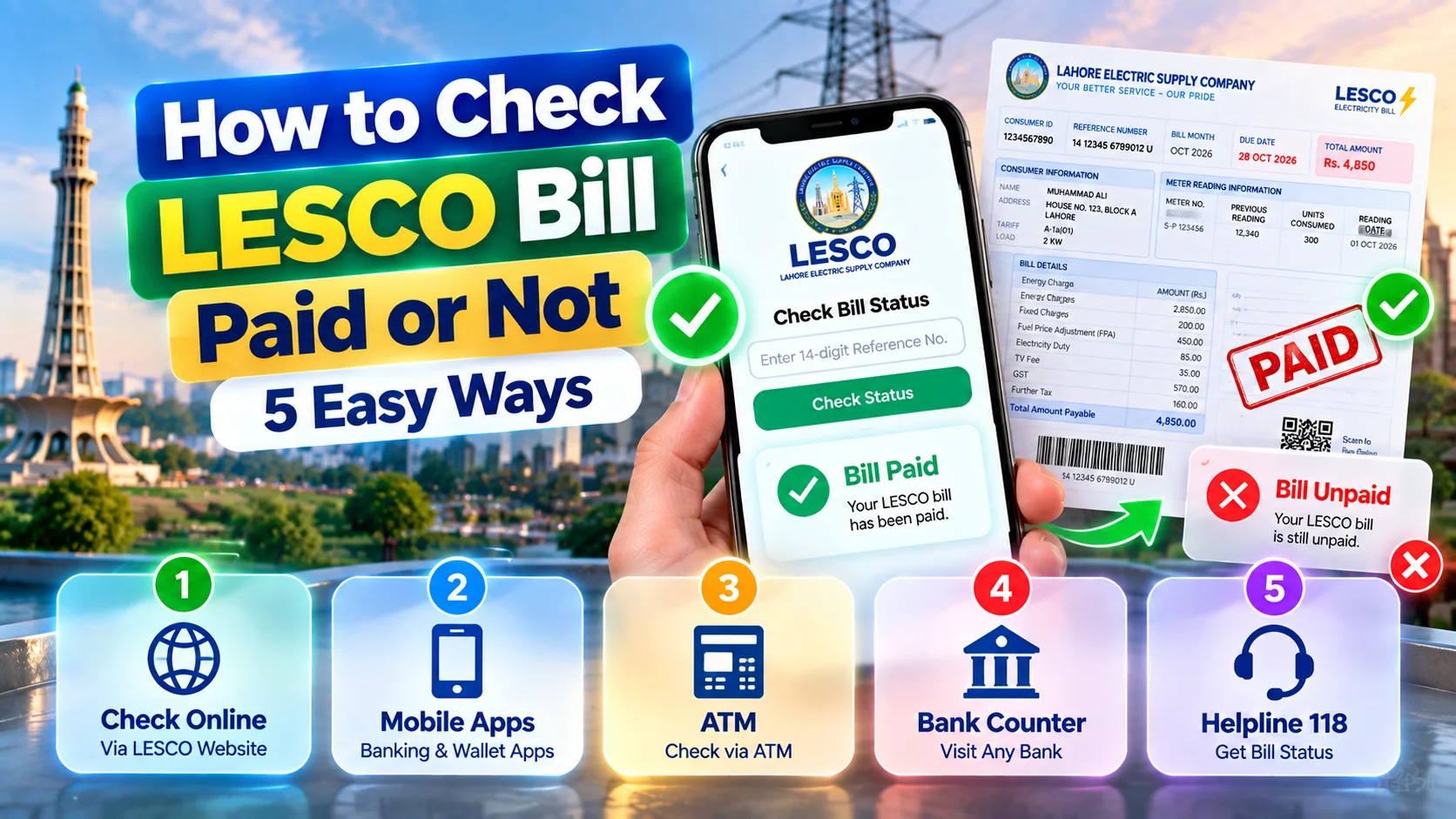
- Open lescoonlinebill.pk in your browser.
- Type your 14-digit reference number into the search box.
- Tap Check Bill to open your latest duplicate bill.
- Look for the status line near the amount. It will show whether the bill is paid or unpaid.
- Check the due date, payable amount and the “after due date” amount.
- Save the page as a PDF or take a screenshot for your records.
How to read the result
| What you see | What it usually means |
|---|---|
| Status: Paid | Your payment has been recorded in the system. |
| Amount due shown, due date in the future | Bill is unpaid or the payment has not reflected yet. |
| Amount with surcharge | The due date has passed without recorded payment. |
| Arrears or previous balance | An earlier bill was not fully cleared. |
Remember that a bill checker shows the data LESCO has published. If you paid minutes ago, the record may simply be waiting to sync.
Other Ways to Confirm Your LESCO Bill Payment
1. LESCO mobile app
The official LESCO app lets you view bills and history using your reference number. It is helpful if you manage several connections, such as a home and a shop.
2. SMS service
LESCO has offered an SMS facility where you send your reference number to the company’s short code and receive bill details in reply. Short codes can change, so confirm the current number on the official LESCO website before sending.
3. Helpline 118
Call 118 and share your reference number. The agent can confirm the payment status and note a complaint if something looks wrong. Calls are easier early in the morning.
4. Bank or wallet history
Open your banking app, JazzCash or Easypaisa and look at the transaction list. A successful debit with a reference number is strong evidence even before LESCO updates its system.
5. Visit the sub-division office
For disputes, take your CNIC copy, latest bill and payment slip to your local LESCO sub-division office. Staff can check internal records and issue a correction if needed.
Which Method Is Best? A Quick Comparison
| Method | Speed | Cost | Best for |
|---|---|---|---|
| Online bill checker | Under 1 minute | Free | Everyday status checks |
| LESCO app | 1–2 minutes | Free (data charges) | Multiple connections |
| SMS service | Few minutes | Standard SMS rate | No internet access |
| Helpline 118 | 5–15 minutes | Call charges | Complaints and disputes |
| Bank/wallet history | Instant | Free | Proof of payment |
| Sub-division visit | Half a day | Free | Serious billing errors |
For most people, the online checker plus a saved receipt is all that is needed. Related guides on our site cover LESCO duplicate bill download, LESCO bill calculator and LESCO bill payment methods if you want to go deeper.
Paid Your Bill but It Still Shows Unpaid? Here Is What to Do
This is the most common worry, and it is usually fixable. Follow these steps in order.
- Wait 24 to 48 hours. Bank and wallet payments often take one to two working days to reflect, longer around Eid or public holidays.
- Re-check the reference number. One wrong digit sends the payment to another consumer’s account.
- Collect proof. Keep the receipt, transaction ID, date, time and amount.
- Contact your bank or wallet. Ask for the biller confirmation or settlement status.
- Call 118 or visit your sub-division. Share your reference number and proof so they can trace the entry.
- Request a written confirmation. If the issue is fixed, ask for the updated record.
Wrong reference number paid
If you paid someone else’s bill by mistake, contact your bank first and then LESCO with the receipt. Reversal is not guaranteed, so act quickly.
Common Mistakes People Make When Checking LESCO Bills
- Checking too soon. Looking a few minutes after paying often shows the old status.
- Using the wrong digits. Mixing up the batch number and customer ID is very common.
- Reading the wrong month. Old duplicate bills may stay in browser history.
- Trusting unofficial links. Never enter passwords, card details or OTPs on a bill checking page. A genuine status check only needs a reference number.
- Throwing away receipts. Keep payment slips for at least six months.
Expert insight
From practical experience helping consumers, most “unpaid” complaints come from three causes: a payment not yet synced, a mistyped reference, or a partial payment that left a small balance. Checking those three first solves the majority of cases without any office visit.
Key Takeaways
- Use your 14-digit reference number to check LESCO bill paid or not in under a minute.
- Allow one to two working days for payments to reflect.
- Save your receipt and transaction ID as proof.
- Call 118 or visit your sub-division if the status stays wrong.
- Never share passwords, PINs or OTPs while checking a bill.
Frequently Asked Questions
How can I check if my LESCO bill is paid or not?
Enter your 14-digit reference number on a LESCO bill checker, open the latest bill and read the payment status. You can also use the LESCO app, SMS or helpline 118.
How long does LESCO take to update a paid bill?
Usually one to two working days for bank and wallet payments. Holidays can add delay.
What if my paid bill still shows unpaid?
Wait 48 hours, then keep your receipt and transaction ID and contact your sub-division office or call 118 with your reference number.
Can I check a LESCO bill without a reference number?
Yes. Use your customer ID or meter number, or find the reference number on an older bill or receipt.
Is checking my LESCO bill online safe?
Yes, if you only enter your reference number. Never share OTPs, card PINs or passwords.
Can I check someone else’s LESCO bill?
Yes. Bills are searchable by reference number, which is why tenants and landlords can verify payments easily.
Author and Trust Note
Written by the LESCO Online Bill editorial team. Our team has spent years explaining electricity billing, duplicate bills and payment channels to consumers across Punjab. We rely on information published by LESCO, the Power Division and NEPRA, and update this guide when procedures change. For official decisions, always confirm with LESCO directly.
Conclusion
Checking whether your LESCO bill is paid or not takes less time than making tea. Keep your reference number handy, verify after a day or two, and save your proof. That small habit prevents surcharges, stress and surprise notices.
Check Your LESCO Bill Status