LESCO Bill Payment JazzCash: A Complete Step-by-Step Guide
A practical guide to paying your Lahore electricity bill online
Paying your LESCO electricity bill through JazzCash can save you a trip to a payment counter. If your bill is eligible for payment through the service, you can generally use the JazzCash mobile app to locate the bill-payment option, enter your electricity reference number, verify the displayed details, and authorize the transaction. Always confirm that the current app supports LESCO bill payments before proceeding.
This guide explains how LESCO bill payment JazzCash works, what information you need, how to handle failed transactions, and what to do if your electricity bill still appears unpaid. You can also use LESCO Online Bill to access your online bill information and related electricity-billing guidance.
What Do You Need for LESCO Bill Payment Through JazzCash?
Preparing the correct details before starting can make the process easier. The exact screens and required fields may change when JazzCash updates its app, so follow the instructions shown in your current official application.
- An active JazzCash account: You must have access to the official app or another supported JazzCash payment channel.
- Your electricity bill: Keep a printed bill or a reliable digital copy available.
- The reference number: Use the number requested by the payment screen and copy it carefully.
- Sufficient funds: Check your available wallet balance or supported funding source.
- A secure connection: Use a trusted internet connection and keep your phone protected.
It is also sensible to check the bill’s due date, amount payable, and any late-payment charges shown on the bill. The amount displayed by a payment service should be checked before you approve the transaction.
How to Pay a LESCO Electricity Bill Using JazzCash
Use the following process as a general guide. Menu names, payment availability, service fees, and confirmation screens can vary by app version and account. If LESCO is not available in the current payment menu, do not select an unrelated electricity provider.
Open the official JazzCash app
Launch JazzCash on your phone and sign in using your normal secure authentication method. Download updates only through trusted official app stores or official JazzCash channels.
Find the bill-payment section
Look for an option such as Bill Payments or Utility Bills. The wording and location may differ depending on the version of the app.
Select electricity and look for LESCO
Open the electricity category and select Lahore Electric Supply Company (LESCO) if it is offered. Check the provider name carefully before continuing.
Enter the required reference number
Type the reference number from your electricity bill into the requested field. Double-check every digit before retrieving the bill information.
Verify the bill information
Review the consumer or connection details shown, the amount due, and any other information provided. Stop if the details do not match the bill you intend to pay.
Confirm and authorize the payment
Follow the app’s instructions to approve the transaction. Never share your PIN or one-time password with another person, even if someone claims to be a payment agent.
Save your payment receipt
Wait for the final result. If payment succeeds, save the transaction ID, receipt, date, and amount. A receipt is useful if you later need help tracing the payment.
Where Can You Find Your LESCO Reference Number?
Your LESCO reference number is printed on your electricity bill. Look for the field labelled Reference No. or a similar reference-number label in the bill’s consumer information area. Its exact position can differ between bill layouts.
Enter the complete number requested by the payment service. Do not substitute your mobile number, meter number, or customer name unless the official payment screen specifically asks for that information. If the number is unclear, obtain a fresh copy of the bill before trying again.
If you need to retrieve bill information online, visit LESCOOnlineBill.pk. Use the reference-number instructions on the site and compare the retrieved details with your electricity connection information before making a payment.
Can You Pay a LESCO Bill Without a Printed Bill?
In many cases, you can use the reference number from a saved digital bill instead of carrying a paper copy. You may be able to retrieve the bill online, save it on your phone, and use the number displayed on it in a supported payment channel.
However, the payment service must support the provider and the information you have available. If you cannot retrieve the bill or verify the connection, obtain the correct details through an official LESCO channel rather than guessing the number.
How Long Does a JazzCash LESCO Bill Payment Take?
A successful digital payment may be confirmed quickly, but the time required for the payment to appear in the electricity provider’s records can vary. Processing delays, maintenance, network problems, or payment reconciliation can affect the visible status.
Do not assume that a payment has failed solely because the online bill still shows an outstanding amount immediately afterward. Check the JazzCash transaction history first, retain the transaction ID, and follow the official support process if the records do not update within the stated processing period.
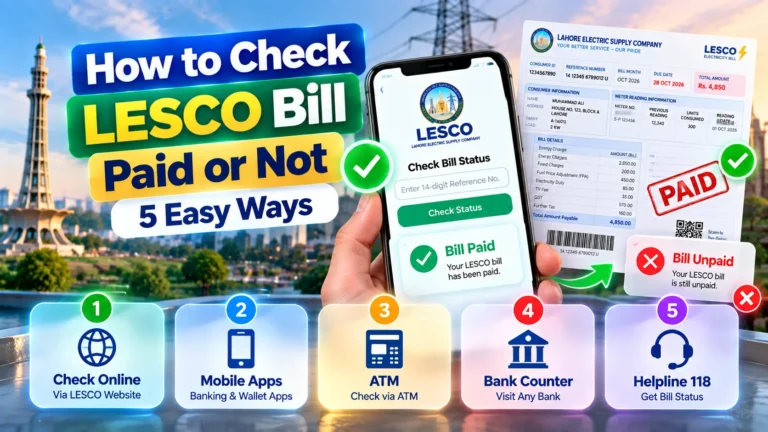
How to Check Your LESCO Bill Payment Status
There are two separate things to verify: whether JazzCash processed your transaction and whether the payment has been reflected in the electricity billing records.
- Open the JazzCash app and review the transaction history.
- Find the payment using the date, amount, and transaction reference.
- Check whether the transaction is marked successful, pending, or failed.
- Save the receipt or confirmation message if the payment succeeded.
- Check the latest LESCO bill information again after allowing time for processing.
- If the status remains unclear, contact official support with the transaction ID.
You can revisit the LESCO online bill page to check the available bill information. Remember that a bill lookup page and a payment provider’s transaction history may update at different times.
Common LESCO Bill Payment JazzCash Problems and Solutions
Most payment issues can be investigated by checking the reference number, available balance, transaction status, and any message shown in the app. Use the table below to identify a sensible next step.
| Problem | Possible reason | What to do |
|---|---|---|
| LESCO is not listed | Service availability or menu changes | Check the current official app or use another verified payment method. |
| Reference number rejected | Typing error or incorrect number format | Compare every digit with the bill and retry once carefully. |
| Bill details do not match | Wrong reference number or a different connection | Cancel and verify the correct bill before proceeding. |
| Insufficient balance | Wallet balance is below the amount required | Check the total payable amount and any applicable charges. |
| Payment remains pending | Processing or connectivity delay | Check transaction history and wait for the official status update. |
| Money deducted but no receipt | Confirmation screen or network interruption | Review transaction history and contact official support if needed. |
| Bill still appears unpaid | Provider records may not have updated | Keep proof of payment and request a transaction trace. |
| Possible duplicate payment | A second attempt was made before checking the first | Review both transaction records and contact support about the extra payment. |
What If Money Is Deducted but the Payment Fails?
First, do not share your account credentials or approve another transaction in response to an unsolicited call or message. Open the official app yourself and inspect the transaction history. Record the amount, date, transaction ID, and status shown.
If the payment is marked failed but the funds have been deducted, use the official JazzCash support channel to request a review. If it is marked successful but LESCO has not reflected it, ask the appropriate support team to trace the payment using the receipt. Refund eligibility and timing depend on the transaction and the provider’s applicable procedures.
What Are the Other Ways to Pay a LESCO Bill?
JazzCash is one possible digital payment route, but it is not the only option. Available channels can change, and not every service will support every bill or account at all times.
| Payment method | Potential benefit | What to verify |
|---|---|---|
| JazzCash | Convenient mobile payment where supported | Provider availability, amount, fees, and confirmation |
| Bank mobile app | Pay through a participating bank’s digital service | LESCO listing and payment instructions |
| Internet banking | Use an online banking service from a participating bank | Reference number and transaction receipt |
| Authorized payment counter | In-person assistance where offered | Authorized status and stamped or electronic receipt |
| Another supported wallet | An alternative if your preferred app is unavailable | Official provider listing and applicable charges |
Choose a method that explicitly supports LESCO, clearly displays the amount to be paid, and provides a transaction confirmation. Check the current bill for payment instructions and use official service information whenever you are unsure.
Safety Tips for Paying Electricity Bills Online
Digital bill payment is convenient, but your account and transaction information must be protected. Follow these basic precautions whenever you use a mobile wallet or banking app.
- Use official apps: Avoid unofficial APK files, suspicious links, and fake payment pages.
- Protect your PIN: Never reveal your PIN, password, or one-time verification code to a caller.
- Verify the provider: Confirm that the payment is for LESCO before approving it.
- Check the amount: Compare the displayed amount with the bill and any disclosed fee.
- Save proof: Keep the receipt until the payment is reflected in your account records.
- Avoid unnecessary retries: Investigate pending transactions before making another payment.
- Use secure access: Keep your phone locked and avoid entering credentials on unfamiliar devices.
- Verify support contacts: Find customer-care details inside the official app or on the company’s official website.
How Can You Avoid Late Payment Issues?
The easiest way to reduce last-minute problems is to check your bill early. Confirm the due date, make sure the reference number is readable, and ensure that the payment account has sufficient funds. Allow time for processing instead of waiting until the final minutes before the deadline.
If your bill is close to its due date, keep the payment receipt and check the transaction status immediately after the attempt. Do not assume that an initiated payment has been completed. If the app shows a pending result, follow its instructions and contact official support when necessary.
Understanding LESCO and JazzCash
Lahore Electric Supply Company, commonly known as LESCO, distributes electricity across its designated service areas in Punjab, Pakistan. It manages consumer electricity billing for the connections it serves. Customers use the information on their bills to identify their connections and settle outstanding charges through supported channels.
JazzCash is a Pakistani mobile financial service that offers digital payment features. Depending on current service availability, users may be able to use its supported channels to pay utility bills. LESCO is the electricity provider, while JazzCash is a payment channel; the two services have different roles in the transaction.
Understanding this difference helps when resolving problems. A wallet receipt can help establish what happened to a payment transaction, while the electricity provider’s billing record helps confirm whether the amount has been credited to the relevant account.
Key Takeaways
- Check that LESCO bill payment is currently available in the official JazzCash app.
- Use the correct reference number from your electricity bill.
- Verify the provider, connection details, and payable amount before authorizing payment.
- Save your receipt and transaction ID immediately after a successful payment.
- Check transaction history before retrying a pending payment.
- Contact official support if funds are deducted but the transaction or bill status remains unclear.
- Use LESCOOnlineBill.pk for online bill information and related guidance.
Frequently Asked Questions About LESCO Bill Payment JazzCash
1. Can I pay my LESCO bill through JazzCash?
You can pay through JazzCash if LESCO bill payment is currently supported in your account’s official payment menu. Check the provider listing before starting the transaction.
2. How do I pay my LESCO bill online using JazzCash?
Open the official app, find bill payments, select electricity and LESCO if available, enter the requested reference number, verify the details, and authorize the payment.
3. Which number is required to pay a LESCO bill?
The app generally requests the reference number printed on the electricity bill. Follow the field instructions in the current payment screen.
4. Is there a fee for LESCO bill payment through JazzCash?
Charges can depend on the current service terms and transaction type. Review the fee, if any, displayed in the official app before confirming payment.
5. Can I pay my LESCO bill after the due date?
Payment availability and late-payment charges depend on the bill and the provider’s current rules. Check the latest bill and confirm the amount payable before submitting a late payment.
6. What should I do if JazzCash deducts money but the bill remains unpaid?
Check your transaction history, save the receipt and transaction ID, allow time for processing, and contact official support if the payment is not reflected.
7. How can I check my LESCO bill online?
Visit LESCO Online Bill and follow the site’s available instructions to retrieve bill information using the required details.
8. Can I pay a LESCO bill without a JazzCash account?
Yes, you may use another supported channel, such as participating bank services or authorized payment counters. Confirm availability and payment instructions before proceeding.
9. What happens if I enter the wrong reference number?
The system may reject the number or retrieve information for another connection. Do not approve a payment unless the displayed details match your intended electricity bill.
10. Should I try again if a JazzCash payment is pending?
Check the transaction history first. Avoid making another payment until you understand the original transaction’s status, because retrying may lead to a duplicate payment.
11. Is a JazzCash receipt proof of payment?
A successful receipt is important evidence of the transaction. Keep it until the payment is reflected in the electricity account and provide the transaction details to official support if needed.
12. Is it safe to pay a LESCO bill on a mobile phone?
It can be safe when you use official services, verify the bill details, protect your credentials, and save the transaction receipt. Never share your PIN or one-time password.
Conclusion: Pay Your LESCO Electricity Bill Carefully
LESCO bill payment JazzCash can be a convenient way to manage an electricity bill when the provider is available through the official payment service. The essential steps are straightforward: prepare the correct reference number, verify the bill details, authorize the transaction securely, and save the confirmation.
If a transaction is delayed or the bill still appears unpaid, check the payment record before trying again. Your receipt and transaction ID will help the relevant support team investigate the issue.
Need to Check Your LESCO Bill Online?
Visit our LESCO bill information page to find your bill details and explore related electricity-billing guidance before completing your payment through a supported service.
Check LESCO Bill OnlineDisclaimer: This independent informational guide is not an official publication of LESCO or JazzCash. App menus, fees, processing times, payment availability, and billing procedures may change. Always rely on the current instructions provided by the relevant official service.