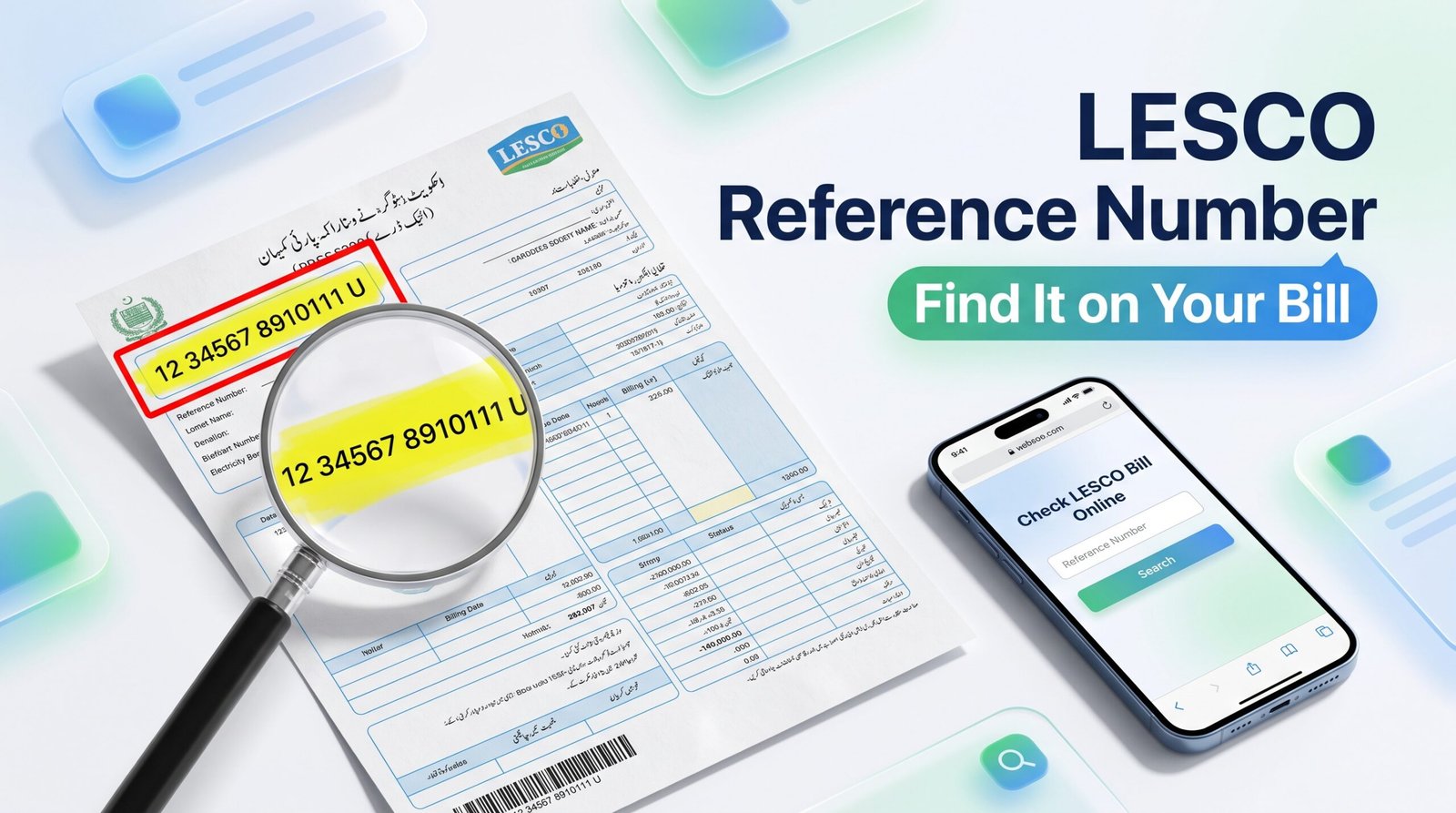
LESCO Reference Number Location: Where to Find It on Your Bill
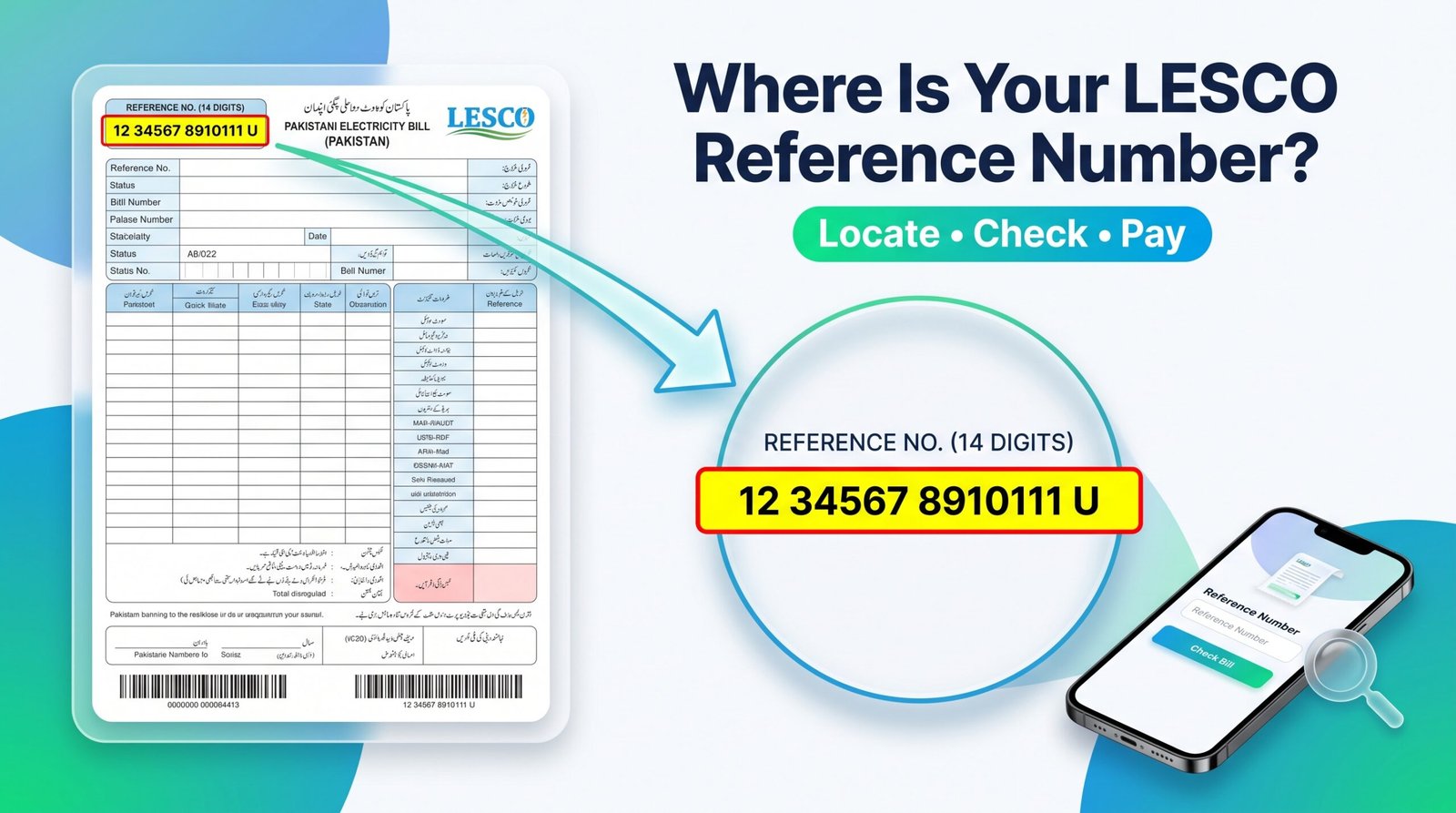
Need your LESCO reference number to check an electricity bill online? You can usually find it in the upper section of your printed electricity bill. This guide explains where to look, how to identify the correct number, and what to do if you have lost your previous bill.
Where Is the LESCO Reference Number Located?
Your LESCO reference number is printed in the account or consumer information section near the top of your electricity bill. Look for the label “Reference No.” or “Reference Number.” Its exact position can vary slightly depending on the bill layout.
Find the row labelled Reference No. in the upper part of the bill.
Usually 14 digits, with a possible additional letter depending on the displayed format.
Your meter number, bill number, or Customer ID.
To retrieve your electricity bill through a supported online bill-checking service.
Tip: Use the label printed on your own bill rather than relying only on the number’s position.
How to Find Your LESCO Reference Number Step by Step
1Find an old electricity bill
Take your latest LESCO paper bill or open a previously saved bill PDF on your phone or computer.
2Look at the upper section
Check the consumer details and account information area near the top of the document.
3Locate “Reference No.”
Read the full number printed beside this label. Do not select a nearby meter number or bill serial number by mistake.
4Copy the number carefully
Enter the reference number exactly as required by the bill-checking website. If the form requests 14 digits, enter the digits without spaces or dashes.
5Retrieve your bill
Open an online bill-checking page, enter the required information, and follow the instructions to view your bill.
Open LESCO Online BillLESCO Reference Number vs. Customer ID vs. Meter Number
Several numbers may appear on an electricity bill. Choosing the correct one is important because each field serves a different purpose.
| Number | What it means | How to identify it |
|---|---|---|
| Reference Number | Identifier used for electricity bill lookup | Find the row labelled Reference No. |
| Customer ID | A separate customer or account identifier | Find the row labelled Customer ID. |
| Meter Number | Identifies the physical electricity meter | Find the row labelled Meter No. |
| Bill Number | Identifies a bill document or billing record | Find the row labelled Bill No., if shown. |
Important: The reference number and Customer ID are not interchangeable in every bill-checking system. Use the identifier requested by the form.
How to Find Your LESCO Reference Number Without an Old Bill
If you no longer have a paper bill, try these practical options before visiting a customer service office.
1. Check a previously downloaded bill
Search your phone, email, or computer for an old electricity bill PDF or a photograph of the bill.
2. Review an earlier payment receipt
If you paid through a bank app, JazzCash, or Easypaisa, check the transaction receipt or saved bill details. The reference number may be included.
3. Ask the property owner or previous bill holder
If you live in a rented property, ask the landlord or the person responsible for the electricity account for a copy of an earlier bill.
4. Contact LESCO customer support
If you cannot recover the number, contact LESCO through its official support channels or visit the relevant customer service office. Keep your service address and available account details ready.
Visit the official LESCO website for available services and guidance.
How to Check Your LESCO Bill After Finding the Reference Number
- Open the LESCO Online Bill website.
- Find the bill lookup field.
- Enter your reference number in the format requested by the form.
- Submit the number and wait for the bill details to load.
- Review your billing month, amount payable, and due date.
- If a bill copy is available, use the print option or save it as a PDF.
Always verify the connection details and amount due before making a payment. If the bill does not appear, check the digits and try again.
Common Problems When Finding a LESCO Reference Number
The number is difficult to read
Open a clearer PDF or take a well-lit photograph of the bill. Zoom in on the Reference No. field instead of guessing unclear digits.
The website says “Invalid Reference Number”
Check for missing digits, accidental spaces, or a typing mistake. Make sure you have not entered the meter number or bill serial number instead.
The bill is not showing online
Confirm that the reference number is correct and try the official bill service. If the problem continues, contact LESCO for assistance.
I only have the Customer ID
Check whether the bill-checking form supports Customer ID. If it specifically requires a reference number, use an old bill or contact LESCO to recover the correct identifier.
Frequently Asked Questions
1. Where can I find my LESCO reference number?
It is usually printed in the upper section of your electricity bill beside the label “Reference No.” Look in the consumer or account information area.
2. How many digits are in a LESCO reference number?
A standard LESCO reference number generally contains 14 digits. Some bill formats may also display a letter. Follow the format requested by the bill-checking form.
3. Is the LESCO reference number the same as Customer ID?
No. They are separate fields on many LESCO bills. Check which identifier your bill-checking form accepts.
4. Can I find my reference number on an old bill?
Yes. An earlier bill or saved PDF is often the easiest way to recover the number for your electricity connection.
5. Can I check my LESCO bill without a reference number?
You may be able to use Customer ID if the service accepts it. Otherwise, check a previous bill or payment receipt, or contact LESCO for help.
6. Is the meter number the same as the reference number?
No. The meter number identifies the physical meter, while the reference number is used to identify the billing connection in bill lookup services.
7. Can I find my LESCO reference number through a payment app?
Check previous transaction receipts or saved bill details in your banking app, JazzCash, or Easypaisa. The number may be recorded if you have paid the bill before.
8. What should I do if my reference number is missing or unclear?
Look for a clearer bill copy, check an earlier payment receipt, or contact LESCO customer support with your available connection details.
Check Your LESCO Bill Online
Once you have found your reference number, use it to look up your electricity bill online. Keep a copy of the number somewhere secure so you can access future bills more easily.
Check LESCO BillFor account-specific problems, use official LESCO support channels.
2 Comments