LESCO Bill Not Received: How to Get Your Electricity Bill Online
Have you not received your LESCO electricity bill at home? A delayed paper bill can make it difficult to check your amount payable and due date. Fortunately, you may be able to view your bill online and obtain a duplicate copy without waiting for the printed bill to arrive.
Why Have You Not Received Your LESCO Bill?
There can be several reasons why a printed LESCO electricity bill has not reached your home. Identifying the likely cause can help you decide what to do next.
The paper bill may be delayed during printing or distribution.
Your bill may have been delivered to the wrong address or location.
The bill may have arrived but been misplaced before you could review it.
The current bill may not yet be available through the online service, or the entered details may be incorrect.
Whatever the reason, do not assume that a missing paper bill automatically changes your payment due date. Check your latest billing details and confirm any account-specific issue with LESCO.
How to Check Your LESCO Bill If It Has Not Arrived
You can try checking your bill online instead of waiting for the paper copy. Follow these steps:
1Keep your bill details ready
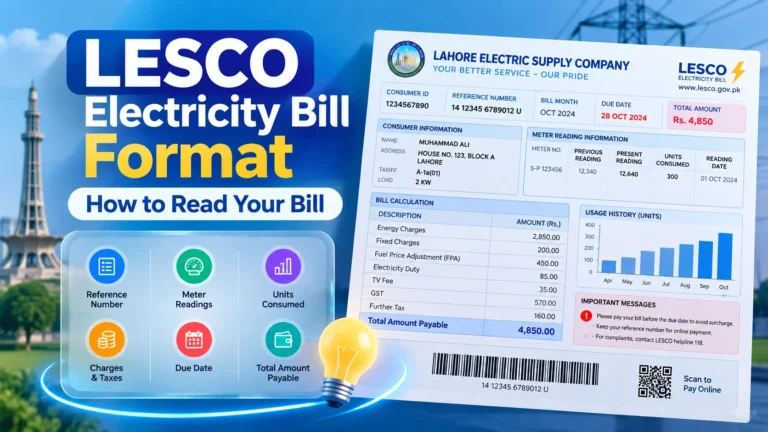
Find the reference number on a previous LESCO bill. If you do not have it, check an earlier payment receipt or saved bill PDF. A Customer ID may be accepted by some services.
2Open the bill-checking website
Visit LESCO Online Bill and locate the bill lookup option.
3Enter the requested information
Type your reference number or other supported identifier carefully. Avoid entering the meter number in a field that requests a reference number.
4View your latest bill
If the bill is available, review the billing period, amount payable, and due date before proceeding.
5Print or save a copy
If the service provides a bill copy, use your browser’s print option to print it or save it as a PDF for your records.
Find Your LESCO BillHow to Download a Duplicate LESCO Bill
A duplicate bill is an additional copy of your electricity bill. It can be useful when the original bill is lost, delayed, damaged, or never received.
- Open the LESCO bill lookup service.
- Enter your reference number or the alternative identifier accepted by the service.
- Submit the details and open the available bill.
- Check that the bill relates to your electricity connection.
- Choose the print option, or use your browser to save the bill as a PDF if available.
If the latest bill does not appear, check your entered details and try again later. For further assistance, visit the official LESCO website.
What If You Do Not Have Your Reference Number?
You may still be able to recover your bill details without the original paper copy. Try these options:
Check a previous electricity bill
Your reference number is usually printed in the account information section of an earlier bill. Keep a photograph or PDF for future reference.
Review your payment history
If you previously paid through a bank app, JazzCash, or Easypaisa, look for a transaction receipt or saved bill details that may include the reference number.
Ask the account holder
If the connection is registered to a landlord or another family member, ask them for a previous bill or the relevant account details.
Contact LESCO
If you cannot find the number, contact LESCO through its official support channels or visit the appropriate customer service office. Provide your connection address and any account details they request.
You can also read our related guide: Where to Find Your LESCO Reference Number.
How to Avoid Missing Your Electricity Bill Due Date
Not receiving a printed bill can be inconvenient, but a few simple habits can help you keep track of your electricity payments.
- Check online regularly: Look up your bill when you expect the next billing cycle.
- Save a digital copy: Store the downloaded bill PDF in a folder on your phone or computer.
- Keep your reference number: Save the number in a secure place so you can retrieve the bill more easily.
- Review the due date: Check the latest bill instead of relying on the previous month’s date.
- Keep payment receipts: Save your transaction confirmation after paying a bill.
- Report repeated delivery problems: Contact LESCO if paper bills regularly fail to reach your address.
Can You Pay Your LESCO Bill Without Receiving the Paper Copy?
You may be able to pay your electricity bill using the bill details retrieved online, depending on the payment provider and its requirements. Payment methods may include supported banking apps, mobile wallets, or other authorised channels.
Before paying, confirm that the account information, bill amount, and due date match your connection. After payment, save the receipt and verify the transaction status. Do not assume a payment has succeeded until you receive confirmation from the provider.
For help with mobile wallet payment options, see our guides to LESCO bill payment through JazzCash and LESCO bill payment through Easypaisa.
What to Do If Your LESCO Bill Is Still Not Available Online
If your latest bill does not appear online, follow these checks before requesting further assistance:
- Confirm that you entered the reference number correctly.
- Check whether you used the correct identifier for the lookup field.
- Try the official LESCO bill service.
- Try again later if the current billing record may not yet be available.
- Contact LESCO customer support if the issue continues or the displayed information looks incorrect.
Never share passwords, one-time verification codes, or sensitive banking details with anyone claiming they need them to retrieve your electricity bill.
Visit LESCO’s official website for official information and available customer services.
Frequently Asked Questions
1. What should I do if my LESCO bill is not received?
Check your bill online using your reference number or another identifier accepted by the service. Review the due date and contact LESCO if the bill is unavailable or delivery problems continue.
2. Can I get my LESCO bill online without the paper copy?
Yes, if the bill lookup service can retrieve your account. Enter the required reference number or supported account identifier to check whether a digital copy is available.
3. Can I download a duplicate LESCO bill?
If a digital copy is available through the bill service, you can usually open it and print it or save it as a PDF using the available options.
4. What if I have lost my LESCO reference number?
Look at an earlier bill, check a payment receipt, ask the account holder, or contact LESCO for help recovering your connection details.
5. Will my due date change because I did not receive the bill?
Do not assume that the due date has changed. Check the latest bill and contact LESCO if you need confirmation about your account or payment deadline.
6. Can I pay my LESCO bill without receiving it by post?
You may be able to pay through a supported payment service using the retrieved bill details. Confirm the account and amount before paying, and save the payment receipt.
7. Why is my latest LESCO bill not showing online?
The information may not yet be available, or the entered reference number may be incorrect. Recheck the details, try again later, and contact LESCO if the problem persists.
8. Where can I report repeated LESCO bill delivery issues?
Contact LESCO through its official website or customer service channels and explain that your printed bills are not reaching your address.
Check Your LESCO Bill Today
If your paper bill has not arrived, you do not necessarily need to wait for another printed copy. Start by checking whether your latest bill is available online, save a digital copy when possible, and contact LESCO if you need help with your account or bill delivery.
Check LESCO Bill OnlineAlways confirm billing details and payment status through an authorised service.