LESCO Bill No Record Found: Causes and Solutions
Seeing a “LESCO bill no record found” message can be frustrating, especially when you need to check your latest electricity bill or confirm the amount due. This message usually means the online system could not find a matching bill record using the information entered, or the latest billing data is not currently available.
Before worrying about your electricity connection, check your reference number or Customer ID, confirm that you entered the correct details, and try again later if the billing record has not been updated. This guide explains the common reasons for the error and the steps you can take to resolve it.
What Does “LESCO Bill No Record Found” Mean?
The message “LESCO bill no record found” means the online bill lookup did not return a matching electricity bill for the information submitted. It does not automatically mean your electricity connection has been cancelled, your meter has been removed, or your account no longer exists.
The issue may be related to an incorrect reference number, a Customer ID entered in the wrong field, an unavailable billing update, or a temporary technical problem with the website or system being used.
The best approach is to check your details first, retry the search, and contact the relevant electricity provider if the record remains unavailable.
Why Is My LESCO Bill Showing No Record Found?
Several issues can prevent an online electricity bill from appearing. Understanding the possible cause can help you choose the right next step instead of repeating the same search.
1. Incorrect Reference Number
One of the most common reasons is entering the wrong reference number. A missing digit, an extra digit, or a number copied from another electricity connection can prevent the system from finding the correct record.
Check the number against a previous electricity bill before submitting it again. Avoid relying on a reference number remembered from an old message or an unrelated connection.
2. Customer ID Entered Incorrectly
Some bill-checking services allow users to search with a Customer ID. This ID is different from the reference number, so make sure you select the appropriate lookup option and enter the matching identifier.
If the page requests a reference number, do not enter your Customer ID in that field unless the page specifically supports both options.
3. Latest Bill Has Not Been Updated
A newly generated monthly bill may not appear immediately on every online service. Billing information can take time to become available, depending on the provider’s update schedule and the service you are using.
If your previous bill was available but the latest one is missing, wait and try again later. If your due date is close, verify the status through official LESCO channels instead of relying only on a third-party lookup page.
4. Temporary Website or System Problem
A website may temporarily fail to retrieve a bill because of maintenance, heavy traffic, connectivity issues, or a technical problem. In this situation, the record might exist even though the lookup page cannot display it.
Refresh the page, check your internet connection, or try again using another browser. You can also use an official service where available to verify the bill.
5. You Are Checking the Wrong Connection
If your household, shop, or office has more than one electricity meter, make sure the reference number belongs to the connection you want to check. Details from a different property or meter will not return the intended bill.
Compare the consumer details on an older bill before attempting another lookup.
6. New Connection or Account Information Issue
A recently created connection or a change in consumer details may require additional time or verification before the relevant information appears in an online lookup. Do not assume that the account is missing permanently based on a single search.
If you have a new connection or recently updated account information, ask LESCO to confirm the correct billing details.
How to Fix the LESCO Bill No Record Found Error
Follow these troubleshooting steps in order. Start with the easiest checks before contacting customer support.
- Find your latest available bill. Use a previous bill for the same electricity connection to confirm the reference number or Customer ID.
- Check every digit carefully. Look for missing numbers, extra spaces, or accidental typing errors. Enter the number exactly as shown on the bill.
- Choose the correct lookup field. If the page asks for a reference number, use the reference number. If it offers a Customer ID option, follow the instructions shown on the page.
- Submit the search again. Re-enter the details and submit the lookup. Avoid repeatedly refreshing the page without checking the information.
- Try again later. If the details are correct but the bill is unavailable, the latest billing data may not have appeared yet or the service may be temporarily unavailable.
- Use another trusted lookup route. Check the official LESCO website or the relevant official electricity billing service, where available.
- Contact LESCO if the error continues. Provide the correct connection details through an official customer service channel and ask whether the billing record is available.
Reference Number vs Customer ID: What Should You Enter?
A reference number and a Customer ID are different identifiers that may be used to locate an electricity account. The information accepted depends on the bill-checking service you are using.
| Detail | Reference Number | Customer ID |
|---|---|---|
| Purpose | Identifies the electricity billing connection for lookup. | Identifies the customer or account in supported systems. |
| Where to find it | Look at the reference number field on a previous bill. | Look for the Customer ID label on the bill, if provided. |
| How to use it | Enter it in the reference number field. | Use the Customer ID option when the service supports it. |
| Common mistake | Leaving out digits or copying another meter’s number. | Entering it into a field intended for a reference number. |
Never guess an identifier. If you cannot locate the correct number, check an earlier bill or ask LESCO to guide you through the official account-verification process.
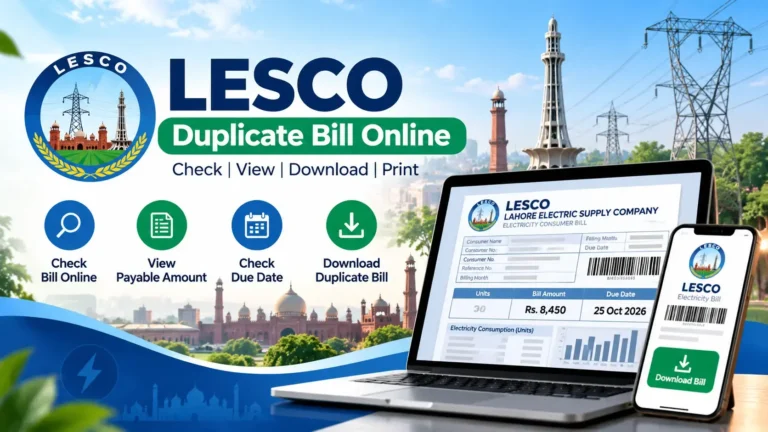
How to Check Your LESCO Bill Online
If you want to view your monthly electricity bill online, use a bill-checking page that clearly explains which account details it accepts. The process is generally straightforward.
- Open the LESCO online bill page.
- Locate the bill lookup field.
- Enter your reference number or Customer ID, according to the field instructions.
- Submit the information and wait for the result.
- If the bill appears, check the consumer details, billing amount, issue date, and due date.
- If the record is not found, review the troubleshooting steps in this guide.
You can begin from the LESCO online bill website. The availability of a bill depends on the information entered and the data accessible through the lookup service.
What If My Previous LESCO Bill Was Available but the New One Is Missing?
If an older bill appears but the latest bill does not, the issue may be related to the timing of the billing update or the availability of the latest record. First, confirm that you are using the same connection details as before.
- Check that the reference number matches your previous bill.
- Make sure you are checking the correct billing period.
- Try again after some time if the latest bill has just been issued.
- Use official LESCO channels to confirm the bill if it remains unavailable.
- Keep your previous bill available for account verification.
Do not assume that an unavailable online record means there is no bill to pay. Confirm the latest amount and due date through a reliable source, especially if the payment deadline is approaching.
Can I Pay My LESCO Bill If No Record Is Found?
Before making a payment, you should confirm the correct bill amount, consumer account, and payment reference. If the latest bill cannot be retrieved, avoid guessing the amount or using details from another electricity connection.
Check your previous bill, use the official billing or payment channel available to you, or contact LESCO for clarification. If you have already paid, keep your receipt or transaction confirmation and verify that the payment was applied to the correct account.
When Should You Contact LESCO Customer Support?
Contact LESCO through its official customer service channels if the reference number is correct, you have retried the lookup, and the bill still does not appear. Contacting the provider is especially important when you have a new connection, a billing dispute, a payment concern, or an approaching due date.
Before contacting support, prepare the following information:
- Your reference number or Customer ID, as shown on the bill.
- A copy of a previous electricity bill, if available.
- The billing month you are trying to check.
- A brief description of the error message.
- Payment evidence, if you have already paid the bill.
Start with the official LESCO website to look for current contact information and customer service guidance. You can also consult the NEPRA website for information about Pakistan’s electricity regulatory framework.
Contact details, procedures, and available online services may change. Confirm current information on the relevant official website.
Common Mistakes to Avoid
- Entering a Customer ID into a reference-number field without checking the instructions.
- Using the number from a different meter or property.
- Assuming a missing online record means the electricity account has been cancelled.
- Waiting until the last moment to verify a bill that is due soon.
- Paying an amount without confirming the account and payment details.
- Sharing account information with unofficial websites or unknown individuals.
Frequently Asked Questions
1. Why does my LESCO bill say “No Record Found”?
This message usually means the lookup service could not find a matching bill using the details entered. Check your reference number or Customer ID, then try again. If the error continues, verify the record through official LESCO channels.
2. Is my LESCO connection disconnected if no record is found?
No. This message alone does not confirm that your connection has been disconnected or cancelled. It indicates that the lookup did not return a matching record. Contact LESCO if you need confirmation about your connection status.
3. How can I fix the LESCO bill no record found problem?
Check the digits on your reference number, use the correct lookup field, retry the search, and try again later if the data may not be updated. If the record remains missing, contact LESCO.
4. Can I check my LESCO bill using a Customer ID?
You can use a Customer ID when the bill-checking service supports that option. Make sure you enter it in the correct field and do not confuse it with the reference number.
5. Why is my latest LESCO bill not showing online?
The latest bill may not yet be available through the service you are using, or a temporary technical issue may be affecting the lookup. Confirm your account details and try again later.
6. What should I do if my reference number is correct but no bill appears?
Try the lookup again and check the official billing service if available. If the issue persists, contact LESCO and ask them to verify your account and latest billing record.
7. Can I pay my bill when the online record is missing?
Confirm the correct amount, account, and payment reference through an official channel before paying. Do not guess the amount or use another consumer’s details.
8. Should I keep my old LESCO bill?
Yes. An older bill can help you verify your reference number or Customer ID and can be useful when discussing a missing record with customer support.
Ready to Check Your LESCO Bill?
Visit our online bill page to begin your lookup. If the record is still missing, use the troubleshooting steps in this guide to find the cause and determine your next step.
Check Your LESCO Bill Now →Quick access to LESCO online bill checking.