LESCO Bill Due Date Check Online – Complete Guide
Want to check your LESCO bill due date online? You can view your latest electricity bill through the LESCO bill lookup portal and check the exact payment deadline printed on your bill. The bill also shows the amount payable before the due date and, where applicable, the amount payable after the deadline.
Checking your due date early helps you plan your payment, avoid unnecessary delays, and keep your electricity account up to date. This guide explains how to check the LESCO bill due date using your reference number or customer ID, view your bill on mobile, and understand late-payment information.
Check LESCO Bill Due Date More Bill GuidesQuick Answer: How to Check Your LESCO Due Date
- Open the PITC LESCO bill portal.
- Enter your 14-digit reference number or select the customer ID option if available.
- Submit the required information.
- Open your latest bill and find the field marked Due Date.
- Check the payable amount within the due date and any amount shown for payment after the due date.
What Is the LESCO Bill Due Date?
The LESCO bill due date is the deadline by which you should pay your electricity bill to avoid late-payment consequences. It is printed on your monthly electricity bill along with the billing month, current charges, previous balance, and total payable amount.
The due date may differ between consumers because billing schedules can vary by billing cycle. For this reason, there is no single date that applies to every LESCO customer each month.
Once your new bill becomes available, check the date and amount carefully. If you have not received a paper bill, you can try viewing a duplicate bill online.
How to Check LESCO Bill Due Date Online
You can check the due date using a mobile phone, tablet, laptop, or desktop computer. Keep a previous electricity bill nearby so you can enter the correct account information.
Step 1: Open the LESCO Bill Portal
Visit the PITC LESCO bill lookup page:
https://bill.pitc.com.pk/lescobill
If the page does not load, check your internet connection or try again later.
Step 2: Find Your Reference Number
Locate the reference number printed on your previous LESCO bill. It is generally a 14-digit number. Enter the complete number in the correct field, following the portal’s instructions.
If the page offers a customer ID option and you have that number, you may use it instead.
Step 3: Submit Your Details
Enter your billing details and submit the form. Check that you have not missed any digits or selected the wrong lookup option.
Step 4: Open Your Latest Bill
When your bill appears, confirm the billing month to make sure you are viewing the latest available record.
Step 5: Find the Due Date
Look for the Due Date field on the bill. Also check the payable amount within the due date and any amount listed for payment after the deadline.
Open Bill Checking PortalHow to Check LESCO Bill Due Date on Mobile
You do not necessarily need a computer to check your electricity bill deadline. A smartphone and an internet connection are generally enough to open the bill lookup portal.
- Open Chrome, Safari, or another updated mobile browser.
- Visit the PITC LESCO bill portal.
- Enter your reference number or use the customer ID option if available.
- Submit your information and wait for the bill to load.
- Zoom in on the bill if the text appears small.
- Note the due date and the amount payable before the deadline.
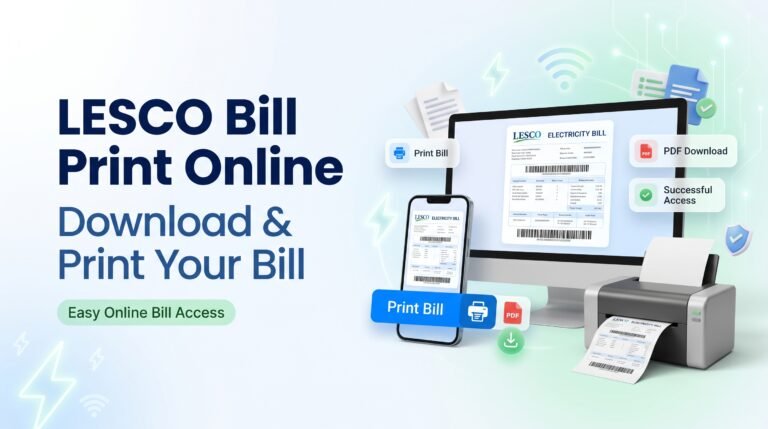
If the bill opens as a document or image, use your browser’s print or save options when available. You can keep a copy on your phone for future reference.
For additional mobile instructions, visit LESCO Online Bill.
Where Is the Due Date Printed on a LESCO Bill?
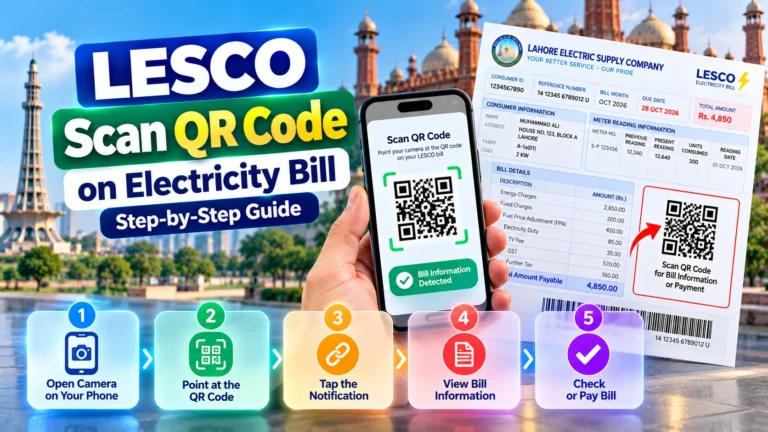
The due date is normally shown in the main billing details section of your electricity bill. Its exact position can vary with the bill layout, so look for the words “Due Date.”
When reviewing your bill, check these important fields:
- Bill Month: The month for which the bill was generated.
- Due Date: The payment deadline shown on the bill.
- Payable Within Due Date: The amount listed for payment by the deadline.
- Payable After Due Date: The amount shown after the deadline, if applicable.
- Previous Balance or Arrears: Any outstanding amount included in the current bill.
What Happens If You Pay Your LESCO Bill After the Due Date?
If you pay after the due date, your bill may include a late-payment surcharge or other applicable charges under the relevant billing rules. The exact amount and conditions should be checked on your bill or confirmed with LESCO.
To avoid confusion, review the amount payable after the due date if it is printed on your bill. Do not assume that the original amount remains unchanged after the deadline.
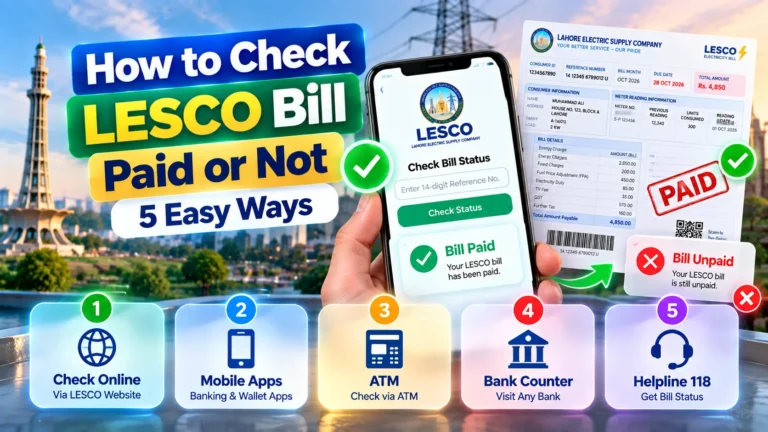
If you have already paid, keep your payment receipt or transaction reference. If your payment is not reflected in the account, contact your bank or payment provider and LESCO with the relevant transaction details.
Can I Check My LESCO Due Date Without a Reference Number?
You may be able to use your customer ID if the bill lookup portal provides that option. Check a previous bill for your customer ID and enter it in the appropriate field.
The reference number, customer ID, and meter number are different identifiers. Do not enter a meter number in a reference-number field unless the portal specifically asks for it.
If you have lost your previous bill and cannot find the required identifier, contact LESCO through verified customer service channels for assistance with your account details.
What If Your LESCO Bill Due Date Is Not Showing?
If your bill opens but the due date is missing or unclear, try these steps:
- Confirm that the latest bill has loaded completely.
- Check the bill month and make sure the record is current.
- Refresh the page or reopen the bill portal.
- Try another updated browser or device.
- Check a downloaded or printed copy if available.
- Contact LESCO if the latest bill still does not display the due date correctly.
If the website displays “No Record Found,” verify your reference number or customer ID before trying again. A missing online record does not automatically mean that your connection has been disconnected.
How to Avoid Missing Your Electricity Bill Due Date
A few simple habits can help you pay your bill on time and avoid last-minute problems.
- Check your bill soon after the latest billing cycle becomes available.
- Save your reference number in a secure place.
- Set a reminder on your phone after confirming the due date.
- Keep a copy of your latest bill for reference.
- Allow enough time for your chosen payment method to process the transaction.
- Keep the payment confirmation until the transaction is reflected correctly.
- Use trusted bill portals and payment services.
Frequently Asked Questions About LESCO Bill Due Date Check
1. How can I check my LESCO bill due date online?
Open the PITC LESCO bill portal, enter your reference number or use the customer ID option if available, and open your latest bill. The due date is printed in the billing details.
2. Is the LESCO bill due date the same for everyone?
No. Due dates can vary by billing cycle. Check the exact date printed on your latest electricity bill.
3. Can I check my LESCO due date on my mobile phone?
Yes. You can use a mobile browser to open the bill portal, submit the required billing details, and view the latest bill when the service is available.
4. Can I check my due date using a customer ID?
You may be able to do so if the portal provides a customer ID lookup option. Enter your customer ID in the correct field and follow the instructions displayed.
5. What should I do if my LESCO bill is not available online?
Verify your reference number, try again later, and check whether the latest billing record has been issued. Contact LESCO if the bill remains unavailable.
6. What happens if the LESCO bill due date has passed?
Late-payment charges may apply according to the relevant billing rules. Check the amount shown on your bill after the due date or contact LESCO to confirm the payable amount.
7. Can I download my LESCO bill to check the due date later?
If the portal offers a print or download option, you can save the bill or print it. Keep the latest copy so you can refer to the due date and payable amount.
8. Does the LESCO bill due date change every month?
It can vary according to the billing schedule. Always check the due date printed on the bill for the relevant month.
9. Is the reference number the same as the meter number?
No. They are different identifiers. Use the number requested by the bill lookup portal and check your previous bill if you are unsure which number is needed.
10. Where can I get help if my due date looks incorrect?
Keep a copy of your latest bill and contact LESCO through verified customer service channels to confirm your billing details and payment deadline.
Conclusion
Checking your LESCO bill due date online is a useful way to stay informed about your electricity payment deadline. Open the PITC LESCO bill portal, enter the correct reference number or customer ID where supported, and review the latest bill carefully.
Always confirm the bill month, due date, and payable amount before making a payment. If your bill does not appear or the due date seems incorrect, try again later or contact LESCO through verified channels.
Check Your Latest BillDisclaimer: This is an independent informational guide and is not an official LESCO service. Bill availability, due dates, and charges depend on your individual billing record and applicable rules.