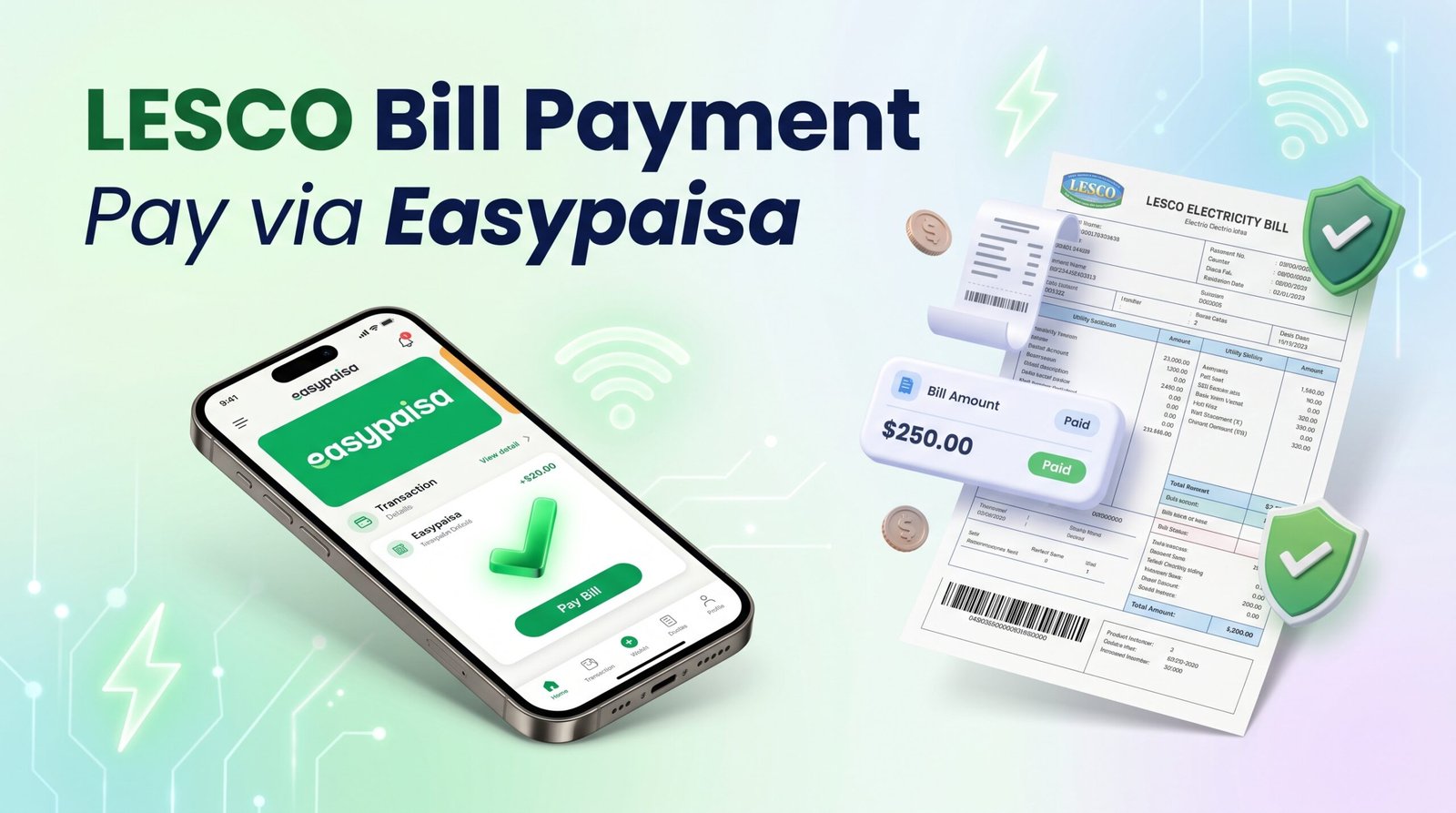
LESCO Bill Payment Easypaisa: Complete Step-by-Step Guide
Paying your LESCO electricity bill through Easypaisa is a convenient way to manage your monthly electricity expenses from your mobile phone. Open the official Easypaisa app, go to Bill Payments, select Electricity and LESCO, enter your bill reference number, verify the displayed details, and confirm the payment. Always check the current app instructions before completing a transaction.
- Open the official Easypaisa app and sign in.
- Choose Bill Payments and then Electricity.
- Select LESCO from the available companies.
- Enter the reference number printed on your bill.
- Verify the consumer information and payable amount.
- Confirm the payment and save the transaction receipt.
If you want to check your electricity bill before paying it, visit LESCO Online Bill. You can use the available bill information to help verify your reference number and amount before making a payment.
What Do You Need to Pay a LESCO Bill Through Easypaisa?
Before starting, prepare the information required to identify your electricity connection. Having the correct details ready helps you avoid mistakes and unnecessary payment delays.
- An Easypaisa account: You need access to the official app or another currently supported Easypaisa payment channel.
- Your LESCO reference number: Find this on your electricity bill.
- Sufficient balance: Make sure your available balance covers the amount displayed by the app.
- Internet access: Use a reliable connection to complete the transaction.
- Your bill details: Keep the consumer information and due date available for comparison.
LESCO stands for Lahore Electric Supply Company. It distributes electricity across its designated service areas in Punjab, Pakistan. Easypaisa is a digital financial service that provides bill-payment features for supported utility providers.
How to Pay a LESCO Bill Through Easypaisa
Follow these steps to pay your electricity bill using the Easypaisa app. The exact button names and screen layout may change with app updates.
Open the official Easypaisa app
Launch the app on your mobile phone and sign in securely using your usual authentication method.
Select Bill Payments
Find the Bill Payments or utility-bills option on the home screen. Open it to view the available billing categories.
Choose Electricity
Select the electricity category to display the supported electricity distribution companies.
Select LESCO
Choose Lahore Electric Supply Company from the provider list. Make sure you select the correct company before proceeding.
Enter your reference number
Enter the complete reference number printed on your electricity bill. If your app offers bill scanning, check the scanned digits carefully.
Verify the bill details
Check the displayed consumer details and amount due. Do not continue if the information does not match the bill you intend to pay.
Confirm your payment
Follow the app’s confirmation instructions and authorize the transaction securely. Review any applicable fee displayed before confirming.
Save your transaction receipt
Wait for the final status and save the receipt, transaction ID, date, and amount. Keep the record until the payment appears in your electricity account.
Where Can You Find Your LESCO Reference Number?
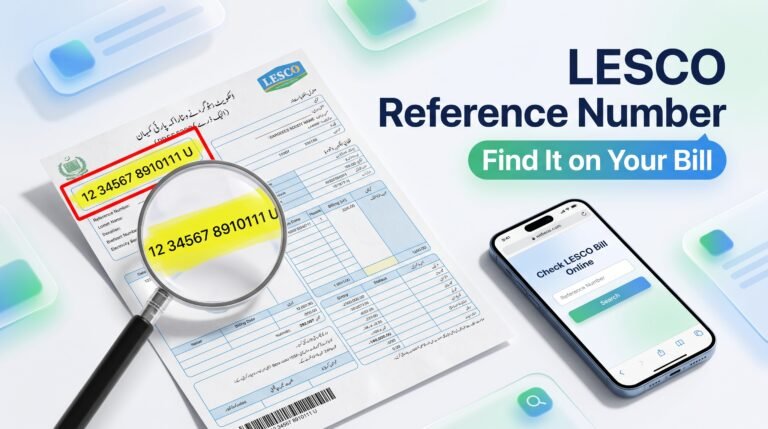
Your LESCO reference number is printed on your electricity bill, usually in the consumer or reference-information section. It identifies the electricity connection for bill lookup and payment.
Copy the complete number requested by Easypaisa. Do not enter your mobile number, meter number, or another identifier unless the payment screen specifically requests it.
If you do not have a printed bill, use LESCOOnlineBill.pk to access the available online bill information. Compare the details with your connection before proceeding with payment.
Are There Any Easypaisa Charges for LESCO Bill Payment?
Easypaisa’s official bill-payment information describes utility bill payments as free for customers under its stated service terms. However, charges and policies may change, and different transaction channels can have different conditions.
Before confirming a payment, review the amount and any fee displayed in the official app. If you use an agent or retailer, ask whether a service charge applies and request a transaction receipt.
Can You Pay an Overdue LESCO Bill Through Easypaisa?
Whether an overdue bill can be paid depends on the amount returned by the billing system and the current payment rules. If the app retrieves your bill, check the amount payable carefully, including any late-payment surcharge displayed.
If the payment option is unavailable or the bill information cannot be retrieved, check the latest instructions on your bill or contact the relevant official service provider. Do not assume that every overdue bill can be processed through every payment channel.
How to Check Your LESCO Bill Payment Status
After completing payment, verify the transaction in Easypaisa and later check whether the amount has been reflected in the electricity billing records.
- Open the Easypaisa app.
- Review your transaction history.
- Locate the bill payment using its date and amount.
- Check whether the status is successful, pending, or failed.
- Save the transaction ID and receipt.
- Recheck your bill information through LESCO Online Bill after allowing time for processing.
A successful wallet transaction and an updated electricity bill are two related but separate records. If your payment is successful but the bill still appears unpaid, keep the receipt and ask official support to trace the transaction before making another payment.
Common Easypaisa LESCO Bill Payment Problems
| Problem | Possible cause | Recommended action |
|---|---|---|
| LESCO does not appear | Temporary service issue or menu changes | Check the official app again or use another verified payment method. |
| Reference number is rejected | Incorrect or incomplete number | Compare the digits with your bill and try again carefully. |
| Wrong consumer details appear | Incorrect reference number | Cancel the transaction and verify the correct connection. |
| Insufficient balance | Available funds are below the payable amount | Check your wallet balance and any displayed fees. |
| Payment remains pending | Network or processing delay | Check transaction history before retrying. |
| Money deducted but no confirmation | Transaction still processing or confirmation delayed | Save any available details and contact official Easypaisa support. |
| Bill still shows unpaid | Billing records may not yet be updated | Keep the receipt and request a transaction trace. |
What If Easypaisa Deducts Money but the Bill Is Not Paid?
First, check your transaction history rather than immediately submitting another payment. Record the transaction ID, date, amount, and status. Keep screenshots or receipts that show the payment result, while protecting sensitive account information.
Contact Easypaisa through its official support channels if the transaction status is unclear. If Easypaisa confirms success but the amount is not reflected in the LESCO account, request assistance tracing the payment. Refunds and processing times depend on the transaction and applicable procedures.
What Other Ways Can You Pay Your LESCO Bill?
If Easypaisa is unavailable, you may be able to use another supported payment channel.
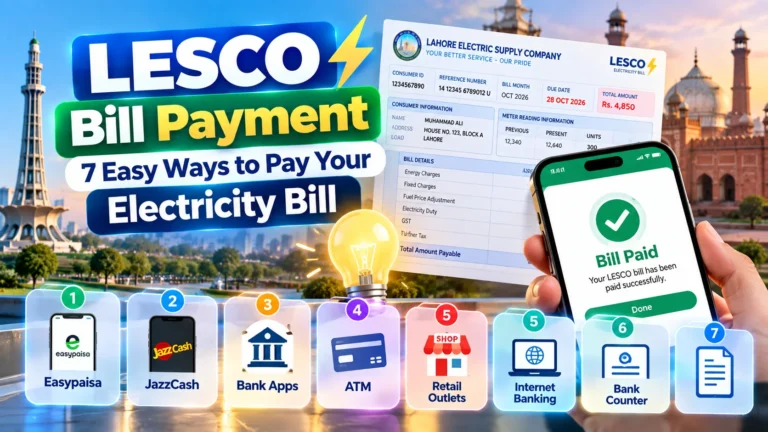
- Participating bank mobile applications.
- Internet banking services offered by participating banks.
- Other officially supported digital wallets.
- Authorized utility-bill payment counters.
Availability can vary, so verify that the chosen provider supports LESCO and displays the correct amount before approving payment.
Safety Tips for Paying Your LESCO Bill Online
- Download Easypaisa only from official app stores or verified sources.
- Never share your PIN, password, or one-time verification code.
- Verify the provider name and consumer information before payment.
- Review the total amount and any displayed fee.
- Keep your receipt until the payment is reflected in the electricity account.
- Avoid repeating pending transactions without checking their status.
- Contact customer support using official contact details.
Key Takeaways
- Easypaisa officially lists LESCO among its supported electricity bill providers.
- Use the correct reference number to retrieve the bill.
- Verify consumer details and the payable amount before confirming.
- Save the transaction receipt and check the payment status.
- Contact official support if money is deducted but the bill remains unpaid.
- Use LESCO Online Bill to access relevant bill information.
Frequently Asked Questions
1. Can I pay my LESCO bill through Easypaisa?
Yes. Easypaisa lists LESCO among its supported electricity bill providers. Confirm availability in your current app before making a payment.
2. How do I pay a LESCO bill using Easypaisa?
Open Easypaisa, select Bill Payments, choose Electricity and LESCO, enter your reference number, verify the details, and confirm the transaction.
3. Which number do I need for Easypaisa LESCO bill payment?
You generally need the reference number printed on your LESCO electricity bill. Follow the exact instructions shown in the app.
4. Is Easypaisa bill payment free?
Easypaisa describes utility bill payments as free for customers under its published terms. Always check current fees and conditions in the app.
5. Can I pay my LESCO bill after the due date?
It depends on the current billing and payment rules. Check the amount displayed by the payment service and any late-payment charges before confirming.
6. What should I do if my Easypaisa payment is pending?
Check your transaction history and wait for the official status update. Avoid submitting another payment until the first transaction is clarified.
7. How can I check my LESCO bill online?
Visit LESCOOnlineBill.pk and follow the available instructions to retrieve your bill information.
8. Is a payment receipt important?
Yes. Keep your receipt and transaction ID as evidence of the payment if you need to contact Easypaisa or LESCO support.
9. Why is my LESCO bill still unpaid after Easypaisa payment?
The electricity billing record may not have updated yet, or the transaction may require investigation. Verify the transaction status and contact official support if needed.
10. Can I pay without a printed electricity bill?
You may be able to pay using the reference number from a digital or online bill, provided the payment service accepts the details.
Conclusion
LESCO bill payment through Easypaisa offers a convenient digital option for electricity consumers who want to pay without visiting a payment counter. The main steps are simple: open the official app, select LESCO, enter the correct reference number, verify the bill, and save the payment confirmation.
Always review the amount before confirming and check your transaction history if anything goes wrong. For online bill information and related electricity-billing guidance, visit our website.
Check Your LESCO Bill Online
Find your bill information and verify your electricity bill details before making a payment through a supported channel.
Check LESCO Online BillDisclaimer: This is an independent informational guide and is not an official publication of LESCO or Easypaisa. App menus, fees, payment availability, and processing times may change. Always follow the current official instructions.