LESCO Bill Download PDF: How to Check, Save and Print Your Duplicate Bill
Lost your paper bill, or need a digital copy for your records? A LESCO bill PDF lets you view your billing details and keep a copy on your phone or computer. All you need is the reference number printed on an earlier bill.
Quick answer: To get your LESCO bill download PDF, enter your 14-digit reference number on the LESCO Online Bill checker, open the bill, then choose Print and Save as PDF in your browser. It takes under a minute on mobile or computer. Check the due date and amount before you pay.
In this guide
- What is a LESCO bill PDF?
- How to download your bill PDF
- Where to find your reference number
- Saving the PDF on Android and iPhone
- What appears on a LESCO bill
- How to pay after checking
- How to check if your bill is paid
- Common problems and fixes
- Tips to avoid late fees
- PDF bill vs paper bill
- Staying safe online
- Official LESCO resources
- Key takeaways
- FAQs
What Is a LESCO Bill PDF?
LESCO stands for Lahore Electric Supply Company. It distributes electricity across its service areas in Punjab, including Lahore, Kasur, Sheikhupura and Nankana Sahib. Each month, a customer receives a bill showing the meter readings, units used, charges, taxes and the last date of payment.
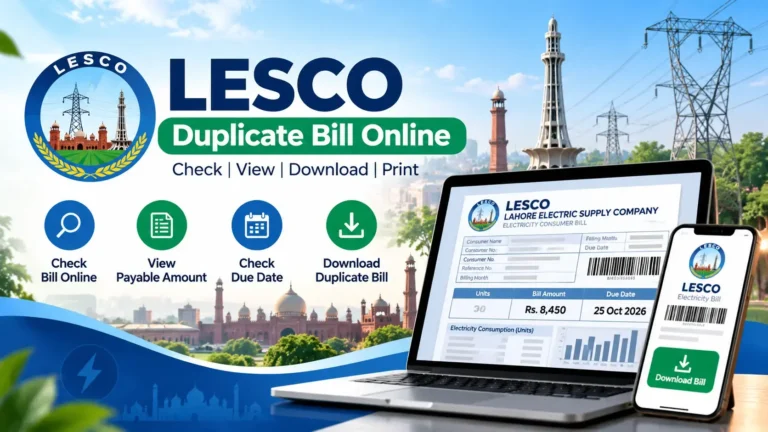
A LESCO bill PDF is a digital copy of that bill. You can keep it on your phone, send it to a family member, or print it at a shop when the paper copy has not arrived. It is the same idea as a LESCO duplicate bill, saved in a format that is easy to store.
A bill copy is meant for reference and payment. It does not change the original bill, extend the due date, or clear any balance.
Who needs a bill PDF?
- Households whose paper bill is late, missing or damaged.
- Tenants who want to confirm the monthly charges for a rented property.
- Owners who keep yearly records of electricity costs.
- Shop owners who need records for business expenses.
- Families abroad who pay the bill for relatives in Pakistan.
- Anyone who needs a printed bill as supporting paper for an office or bank, where accepted.
How to Download Your LESCO Bill as a PDF
These five steps work on a phone, tablet or laptop.
- Keep your reference number ready. It is printed near the top of your old bill. You can also find it on a payment receipt.
- Open the bill-checking page. Visit lescoonlinebill.pk and find the bill-checking form.
- Enter the identifier. Type the digits without spaces or dashes. If the form asks for a suffix such as U or R, select the one printed on your bill.
- Review the bill. Check the billing month, consumer details, amount payable and due date.
- Save as PDF. Press Ctrl + P on a computer, or use Print or Share on a phone. Choose Save as PDF as the destination and tap Save.
Tip: Rename the file straight away, for example “LESCO-Bill-October-2026.pdf”. A year of clearly named files makes it easy to compare your usage later.
Whether a bill loads depends on the service’s data source and availability. If it does not load, check your details and try the official LESCO channels listed below.
What if I only have an old bill?
That is enough. The reference number belongs to your connection, not to a particular month, so an old bill gives you the number needed for the latest one.
Where Can You Find Your LESCO Reference Number?
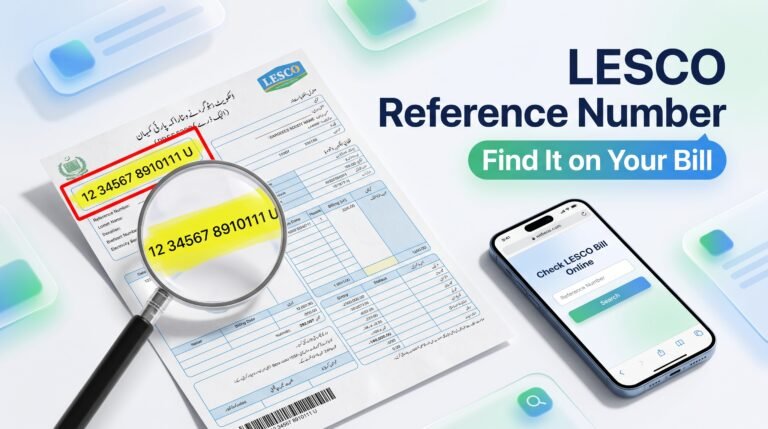
The reference number is the main identifier for your electricity connection. On a printed bill it sits in a prominent place near the top, close to your name and address. It is generally 14 digits followed by a letter. For a full walkthrough, see our guide to the LESCO bill reference number.
| Part of the number | What it usually represents |
|---|---|
| First 2 digits | Billing batch |
| Next 5 digits | Sub-division code |
| Next 7 digits | Individual customer number |
| Last letter (U or R) | Urban or rural connection |
This is the commonly seen layout. Always copy the number exactly as printed on your own bill.
No bill at hand? Try these
- Old receipts: Bank slips and wallet receipts often show the reference number.
- Payment apps: Banking apps, JazzCash and Easypaisa keep past bill payments.
- Landlord or neighbours: A rented home often has older bills with the owner.
- LESCO customer service: See the LESCO helpline number page for contact options.
- Sub-division office: Visit with your CNIC and proof of occupancy.
Do not mix them up: The reference number is not your meter number, bill amount or payment transaction ID. Enter exactly what the form asks for.
How to Save a LESCO Bill as PDF on Mobile
Most people check bills on their phones. The exact menu names change between phone brands, but the path is similar.
On Android (Chrome)
- Open your bill in Chrome.
- Tap the three dots at the top right.
- Tap Share, then Print.
- Choose Save as PDF and tap the PDF button.
On iPhone (Safari)
- Open the bill in Safari.
- Tap the Share icon.
- Select Options, then PDF.
- Tap Save to Files and choose a folder.
If the PDF is cut off: rotate your phone sideways, or choose A4 and “Fit to page” in the print settings before saving.
What Information Appears on a LESCO Bill?
Knowing the main sections makes it easier to confirm the amount due and spot mistakes.
| Bill detail | What it means |
|---|---|
| Reference number | Identifier used to retrieve your connection’s bill |
| Consumer name and address | Details of the registered connection |
| Billing month | The period covered by the bill |
| Meter readings | Previous and present readings used to work out consumption |
| Units consumed | Electricity used, measured in kilowatt-hours (kWh) |
| Current charges | Energy charges and applicable adjustments for the period |
| Taxes and other charges | Applicable taxes, duties and surcharges |
| Due date | Last date to pay without a late payment surcharge |
| Payable amount | Amount due by the date shown, subject to the bill’s terms |
Why does my bill change every month?
Three things move the number: the units you used, adjustments approved by the regulator NEPRA, and any change in taxes or tariffs. Summer bills usually rise because fans and air conditioners run longer. Rates change from time to time, so read the current bill rather than relying on last month’s amount. For a closer look at rates, read our LESCO unit price in Pakistan 2026 guide.
How to Pay Your LESCO Bill After Checking It
Once you have the bill copy, follow this simple order:
- Confirm the details. Check the reference number, amount payable and due date.
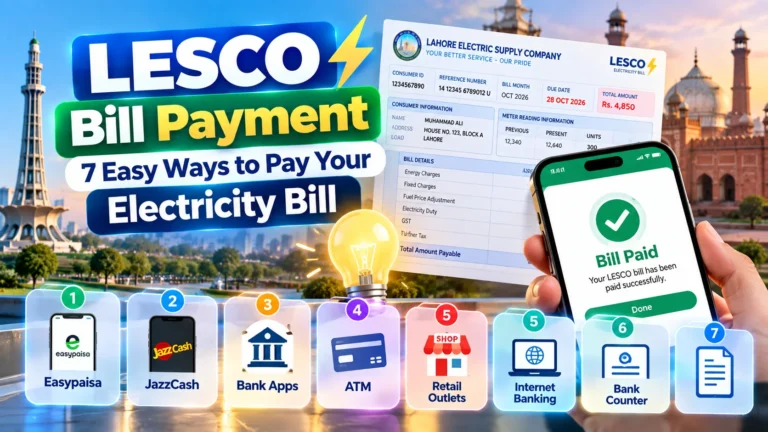
- Choose a payment channel. Use your bank app, wallet, internet banking, ATM, an authorized agent or a bank branch.
- Select LESCO. In the bill payment menu, choose the electricity company and enter the reference number.
- Verify the screen. Make sure the name and amount shown match your bill.
- Save the receipt. Keep the confirmation until the payment shows in the records.
| Method | Best for | Remember |
|---|---|---|
| Mobile banking apps | Most customers | Choose Utility Bills, then LESCO |
| Wallets (JazzCash, Easypaisa) | No bank app | Screenshot the confirmation |
| Internet banking | Paying several connections | Check each reference number |
| ATM | Quick payment on the go | Take the printed slip |
| Bank branch | Cash payers | Carry the printed bill |
Methods and processing times vary by bank and provider. See the full list in our LESCO bill payment guide. A bill copy is not proof of payment, so always keep the receipt.
How to Check Whether Your LESCO Bill Is Paid
Start with the receipt or transaction confirmation from your bank or wallet. Check the date, amount and reference number. Then look at the billing record again after a day or two, since a new bill may not show a recent payment right away.
If the payment failed or was reversed, follow up with the payment provider before trying again. Our guide on how to check LESCO bill paid or not explains the options in detail.
Why Is My LESCO Bill Not Showing? Common Problems and Fixes
| Problem | What to do |
|---|---|
| Bill not found | Recheck the reference number and suffix, then try again |
| New bill not available | Try later and check official LESCO channels |
| Page keeps loading | Refresh, check your internet, or try another browser |
| Blank PDF | Use the browser print menu and select Save as PDF again |
| Wrong name or address | Ask your sub-division office about a correction |
| Amount looks too high | Compare meter readings, then contact LESCO if it does not match |
| Payment not reflected | Keep the receipt, allow processing time, then contact the provider |
What if my bill amount looks wrong?
Take a clear photo of your meter on the same day and compare it with the present reading on the bill. If they differ, keep the bill copy and the photo, and raise the issue through LESCO’s official complaint process. A dated photo is strong evidence.
If the reading is correct but the bill is still high, review your appliances. An old air conditioner running through the night can add a lot of units in a month.
Tips to Avoid Late Fees and Surprises
- Pay two days early. Banks and wallets can be slow near the deadline.
- Save every bill. Twelve PDFs in one folder give you a full year of records.
- Photograph your meter monthly. It takes five seconds and protects you from wrong readings.
- Watch your units. Crossing into a higher slab can raise the cost, so a few extra units can matter.
- Check the tariff category. A home billed under the wrong category can pay much more. Ask for a correction if it looks wrong.
- Set a reminder. Add the due date to your phone calendar when you download the bill.
- Switch to LED lights and inverter appliances over time.
- Avoid running several heavy appliances together.
- Clean air conditioner filters before summer.
PDF Bill vs Paper Bill: Which Is Better?
| Feature | PDF bill copy | Paper bill |
|---|---|---|
| Availability | Any time, if the service loads | Depends on delivery |
| Cost | Free to view and save | Delivered with your connection |
| Storage | Easy, searchable folder | Needs a physical file |
| Sharing | WhatsApp or email in seconds | Needs a scan or photo |
| Official use | Printed copy accepted by some offices | Widely accepted |
For most families, the best habit is to keep the PDF for records and payment, and hold on to the latest paper bill only when an office asks for the original.
How to Stay Safe While Checking Your Bill Online
- Never share your CNIC, PIN or one-time code with anyone who calls about “pending” dues.
- Pay only through your bank app, a trusted wallet or an authorized channel.
- Re-check the amount and reference number before confirming payment.
- Avoid unknown links in SMS or WhatsApp messages that claim to be from LESCO.
- Avoid any site that asks for fees or card details just to show your bill.
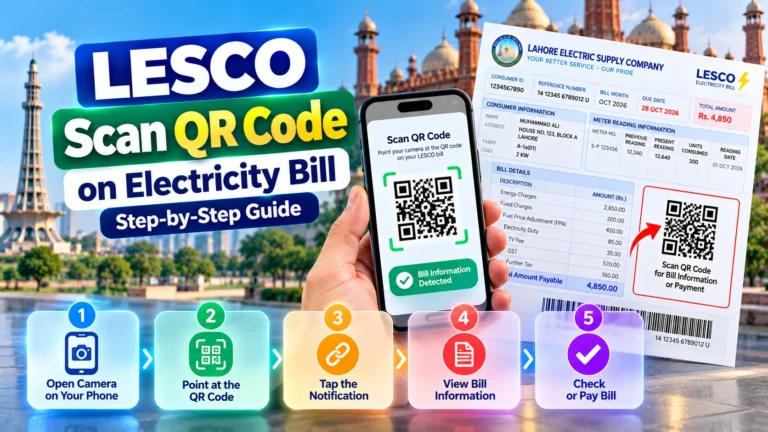
Some customers also like bill alerts. Read about LESCO SMS registration to learn how they work, and our guide to scanning the QR code on your LESCO bill for a quick, careful way to use the code on your paper copy.
Official LESCO Resources and Helpful Links
For billing disputes, wrong meter readings or payment records, official channels are the right place to get answers. A third-party bill-checking website should always be verified against the provider’s own records.
- Official LESCO website: company information and customer service
- NEPRA: the electricity regulator, for rules and consumer information
- Power Division, Government of Pakistan: policy and sector updates
- Check LESCO Bill Online: return to the bill-checking page
- Planning a new connection? Read about the LESCO new connection process.
Disclaimer: This article is general guidance. LESCO’s rules, rates and procedures can change, so confirm final details on your official bill.
Key Takeaways
- You need only your reference number to get a LESCO bill download PDF.
- Use Print, then Save as PDF in your browser on mobile or computer.
- The reference number stays the same every month, so save it in your notes.
- A bill copy does not extend the due date and is not proof of payment.
- Pay a day or two early and keep the receipt.
- Use official LESCO channels for corrections and complaints.
Frequently Asked Questions About LESCO Bill Download PDF
1. How can I download my LESCO bill in PDF?
Enter your reference number on a LESCO bill-checking page such as lescoonlinebill.pk, open the bill, then use Print and choose Save as PDF.
2. Can I pay using a downloaded bill PDF?
The copy helps you find the reference number and amount. Payment acceptance depends on your bank or app, so verify the details on the payment screen before confirming.
3. What is a LESCO reference number?
It is the 14-digit billing identifier, usually followed by a letter such as U or R, printed on your bill.
4. Can I download my LESCO bill on mobile?
Yes. Open the bill in Chrome or Safari, use Print or Share, and save it as a PDF if your device offers that option.
5. Why is my LESCO bill not showing online?
The usual causes are a wrong reference number, a bill that is not generated yet, or a temporary service problem. Try again later and use official channels if it continues.
6. How can I find my reference number without a bill?
Check old bills, receipts or payment app history. You can also contact LESCO through its official channels or visit your sub-division office with your CNIC.
7. Does a downloaded bill extend the due date?
No. A copy does not change the due date or cancel any balance. Check the late payment details printed on the bill.
8. Is it free to download a LESCO bill?
Viewing and saving a bill copy is free on most bill-checking pages. You only pay the electricity charges shown on the bill.
9. Is a bill PDF proof of payment?
No. It shows billing information only. Keep your bank or wallet receipt as proof that you paid.
10. What should I do if my bill amount looks wrong?
Compare the meter readings with your meter, keep a copy of the bill, and raise a complaint through LESCO’s official process.
Conclusion
A LESCO bill download PDF saves you from missed deliveries and last-minute trips to the bank. Find your reference number, pull up the bill, save it as a PDF, and pay before the due date. Keep the payment receipt until the record updates.
For missing bills, disputed charges or payment problems, confirm your account details through official LESCO channels.
Ready to check your bill?
Check LESCO Bill Online →